1 / 12The Gorgias paradox: specialized in helpdesk, not in automation
Key takeaways
Gorgias is a strong helpdesk, but you can layer a specialized AI tool on top of it instead of migrating helpdesks.
Look for end-to-end resolution, native Gorgias integration and the ability to take real actions in your ecommerce stack.
The six tools covered are Yuma, Siena AI, DigitalGenius, Decagon, eesel AI and AY Automate, each with different pricing models and strengths.
Deflection handles maybe 20 to 30% of tickets, while resolution can handle 50 to 80% because most ecommerce tickets need an action.
Test vendors on 100 of your own recent tickets, insist on a real free trial, and price each option at 2x and peak volume.
The Gorgias paradox: specialized in helpdesk, not in automation
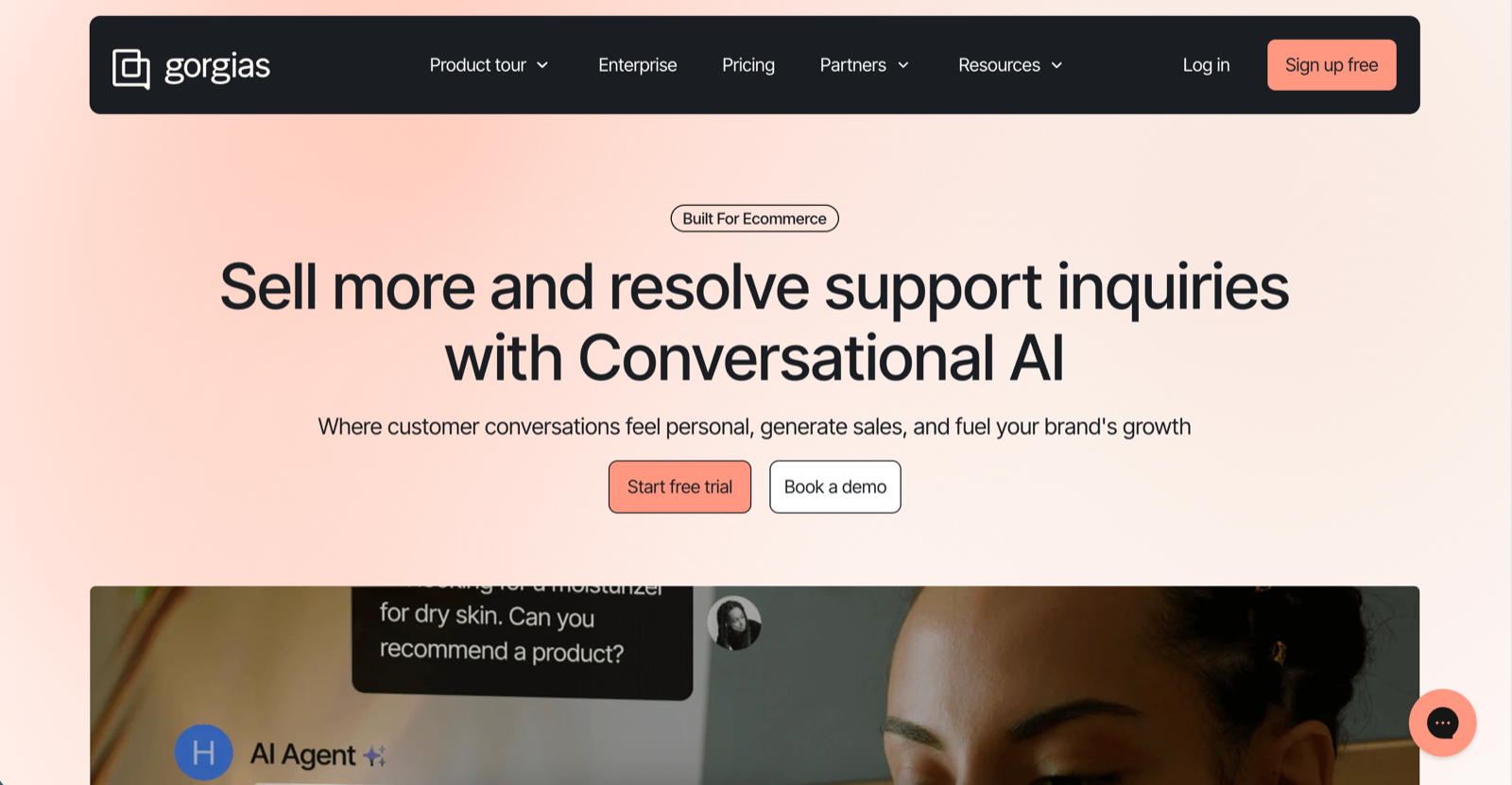
Gorgias is a popular ecommerce help desk platform on the market. It pulls every customer conversation into one inbox, connects natively to Shopify, and gives agents the context they need to work fast. Over 15,000 brands use it for ecommerce customer support, and for good reason. But being a great helpdesk and delivering great automated customer service are two different competencies.
If you've tried the Gorgias chatbot, you've probably noticed the gap. The automation rates don't match their helpdesk performance. Responses drift off-brand. Recent Shopify App Store reviews mention degraded LLM performance, with one merchant reporting their agent "forgot what kinds of products we sell and started recommending unrelated items." That's not an edge case. It's a pattern that points to a deeper issue: AI automation isn't Gorgias's core focus. You're not imagining it. Gorgias excels at helpdesk infrastructure but ecommerce customer service automation is another game entirely.
The good news: you don't have to migrate to a different helpdesk to get better AI. There are specialized AI tools for ecommerce now that offer native Gorgias integrations. You can keep your existing setup while layering on automation that actually works. These tools focus exclusively on ecommerce customer support, which means higher automation rates, better brand voice consistency, and the ability to execute real actions (processing returns, updating subscriptions, canceling orders) rather than just deflecting tickets.
This guide breaks down six ecommerce ai tools that integrate directly with Gorgias. Each takes a different approach to automated customer service, with different pricing models and strengths. We'll cover what each tool does well, where it falls short, and which type of brand it fits best.
If you're running your CX on Gorgias helpdesk in 2026 and want automation rates above 50%, this article is for you.
Source: Gorgias website
Why Gorgias users look beyond Gorgias AI Agent
Credit where it's due: Gorgias built something genuinely useful. The unified inbox pulls email, social, chat, and SMS into one screen. The Shopify integration lets agents view orders, issue refunds, and update shipping without switching tabs. Macros speed up responses. Rules auto-tag and route tickets. For managing human agents, Gorgias chat and ticketing work well. But there's a reason CX leaders searching for Gorgias alternatives keep landing on specialized AI tools.
The difference comes down to focus. Gorgias built a platform that serves helpdesk use cases best. Whereas, specialized AI tools for ecommerce build one thing: autonomous ticket resolution. Every feature exists to close tickets without human intervention. That singular focus shows up in the results. Published case studies in this space report high full-resolution rates: EvryJewels, for example, automates 89% of its tickets with Yuma.
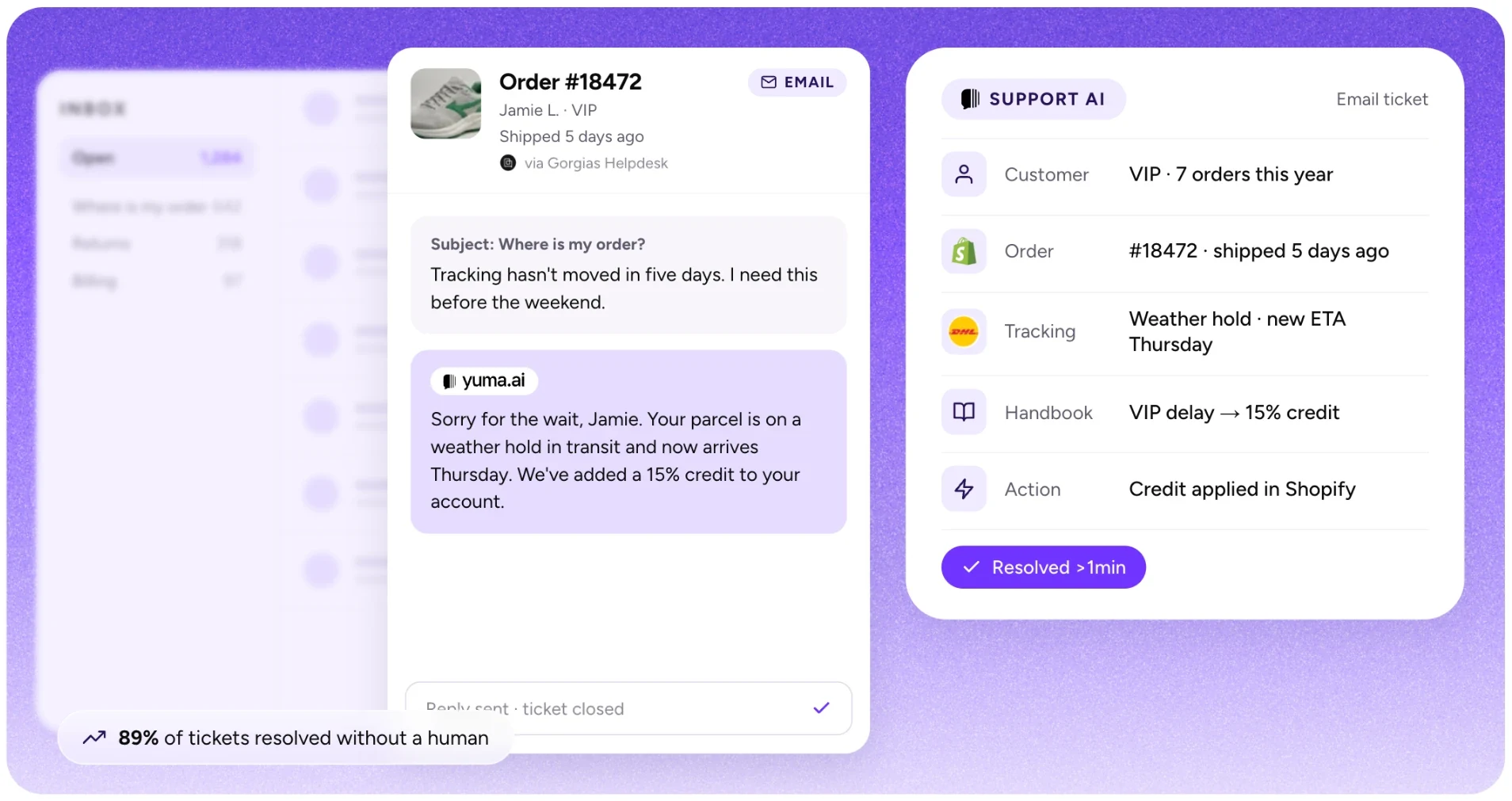
What does "fully resolved" actually mean? The AI handles the entire interaction: it identifies the customer's issue, pulls relevant order data, takes the necessary action (canceling an order, processing a return, updating a subscription), and confirms completion with the customer. No agent review. No handoff. The ticket closes automatically. The key characteristic is that specialized tools have the ability to take action across various platforms, just like human agents.
This is why brands serious about automated customer service use specialized tools on top of Gorgias rather than replacing the helpdesk entirely. You keep the inbox, the integrations, the agent workflows. But you add an AI engine purpose-built to handle repetitive ecommerce customer service tickets without supervision.
What should you look for in these specialized tools? Three things matter most. First, true end-to-end resolution (not just co-piloting). Second, native Gorgias integration that preserves your existing workflows. Third, the ability to take real actions inside your ecommerce stack, not just generate text responses. The following six tools meet all three criteria.
Source: Yuma AI website
Yuma AI: best for end-to-end ticket resolution for e-commerce with top notch accuracy
Yuma AI is an AI customer service platform for ecommerce brands. With Yuma 2.0, one written Handbook, managed in plain language, runs every customer conversation across email, chat, SMS, WhatsApp, social DMs, outbound outreach and phone calls. Ask Yuma writes the Handbook from your SOPs or real tickets, every playbook carries its own tests, and changes roll out gradually. Yuma works inside your existing helpdesk, takes actions in your backend, and with Web Actions can complete tasks in tools that have no API.
The platform connects directly to your Gorgias (and all other major helpdesks) and handles the work your human agents dread most. Top automated use cases include WISMO tickets, subscription management, return requests, order cancellations, and much more. Not draft responses, not suggested replies: Yuma resolves ecommerce support tickets, start to finish. You describe how you do support, upload the SOPs and documents you already have, or point at real tickets, and Ask Yuma turns them into Handbook pages: brand pages for how Yuma sounds, playbooks for what to do in each situation, and procedures for the exact steps. For steps that need strict logic, Flows keep working, and a playbook names them where they apply.
One capability that makes Yuma attractive to ecommerce merchants is visual processing. It can process images of products, receipts, etc. This feature becomes valuable for cases where customers are sending photos of damaged items or trying to troubleshoot a product. It's also highly useful for matching skin tone with cosmetic shades or hair extensions to hair color.
The numbers paint a better picture. Petlibro reached 79% automation and avoided hiring several new agents. Clove achieved 70% automation and a 3x ROI in just three months. Glossier saw 87% faster responses, with shipping status tickets handled from launch, even for packages traveling through smaller carriers in remote regions. EvryJewels automates 89% of its tickets, with 63% lower cost.
Before Yuma, we were drowning in a sea of over 10,000 tickets, and our first response time was a staggering 1 week," says Alejandro Reyes, Customer Service Director at EvryJewels. "Other AI solutions we tried were unreliable, hallucinating, and didn't align with our guidelines.
What separates Yuma from basic AI chatbots for ecommerce solutions is the action-taking capability across platforms and tools. April Tang, Customer Support Supervisor at Petlibro, puts it simply: "Yuma can autonomously cancel and update subscriptions. We don't worry about subscription management anymore." And where a tool has no API, Web Actions let Yuma drive a real Chrome browser to complete the task, like filing a claim in a carrier portal. You set one up by recording a video of the task once, and the tool needs to be reachable from a browser on the open web, without a VPN.
Yuma's support automation platform offers a Playground where brands can simulate any change before going live, and gives every playbook its own tests: example situations with the outcome you expect, replayed as simulated conversations before any change goes live, with nothing real touched. You can also replay past tickets to see exactly what Yuma would have done. Although feature heavy, Yuma's setup happens fast, and most brands are live within a week, as users confirm:
We barely had to think about the technical side. Yuma just worked, right out of the box. That was a huge relief, so we could focus on customer experience rather than implementation. (Amy Kemp, Director of Omnichannel Customer Experience @ Glossier)
Brand pages in your Handbook set tone, legal phrasing and do-not-say lists, Hard Limits set boundaries Yuma never crosses, such as refund caps, and Safety Guard and Fraud Shield check replies and risky orders before anything goes out. New playbooks roll out on a small share of conversations first, and when the Handbook doesn't cover a request, Yuma hands the ticket to your agents instead of improvising, while routine tickets close automatically.
For Gorgias users seeking automated customer service that actually resolves tickets, Yuma is the most battle-tested option in the category. The confidence is derived from successfully serving 140+ ecommerce brands, including top global ecommerce and DTC brands such as Glossier, Javvy Coffee, Clove, Petlibro, Cabaia, MyVariations, and many more.
We were one of the first customers of our previous previous partner. We learned what we needed out of an AI partner and that is really why we are now with Yuma. (Sarah Azzaoui, Director of CX at Clove)
Top features include the Handbook and Ask Yuma, per-playbook tests and gradual rollout, Yuma Voice for phone calls, outbound event playbooks, Web Actions, Flows, Deep Search (to discover hidden insights from CX tickets), Sales AI (to boost website sales conversion), Invoice Generator, Metrics / CX Dashboard, Package Tracker, etc.
Yuma comes with performance-based pricing, designed to give brands the best price based on actual value delivery. It also comes with a 30-day free trial so that any brand can properly test its ROI before committing. If you want to understand exactly how Yuma stacks up against Gorgias's native AI, see our Yuma vs Gorgias AI comparison.
Yuma has given us the freedom to really explore what else our CX team is capable of. It's been really freeing to think of our CX team outside of the inbox, outside of just answering emails. That has been a really exciting experience for us. (Shannon White, Head of Customer Experience at Javvy Coffee)
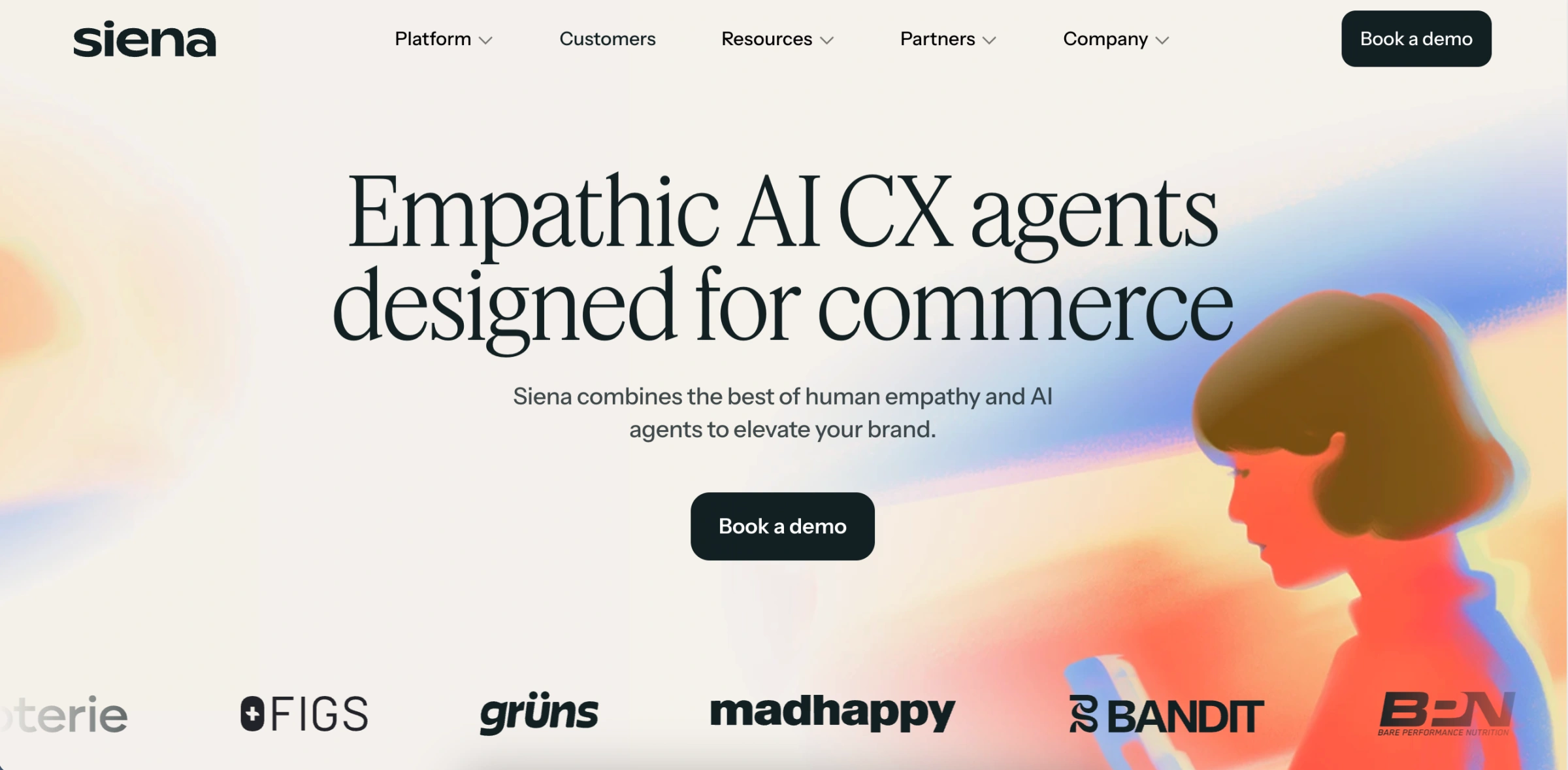
Source: Siena website
Siena AI: empathy-focused automation for DTC brands
Siena AI built its platform around this premise: AI conversations should feel human. Where most ai tools for ecommerce optimize for speed and deflection, Siena prioritizes tone.
This conversational ai for ecommerce connects with Gorgias, Zendesk and other major helpdesks to handle interactions across email, SMS, social DMs, and comments. Tickets that need human judgment get routed to your agents. The rest resolve automatically.
Under the hood, Siena uses what it calls the Cognitive Reasoning Engine (CoRE). Instead of rigid decision trees, CoRE applies reasoning-based logic to parse multi-intent queries. A customer asking about a late order, requesting a refund, and complaining about packaging in the same message gets each concern addressed separately. The platform also includes Siena Vision for visual evidence analysis. If customers submit photos for warranty claims or product defects, the AI can evaluate the images and trigger appropriate workflows.
According to its marketing claims, brands achieve 65 to 80% automation after deployment. The platform claims a 4.81 out of 5 CSAT rating, with a 99.7% alignment score (meaning AI responses matched intended brand guidelines). Notable customers include K18, Kitsch, Simple Modern, and HexClad.
Siena's pricing runs at roughly $0.90 per conversation plus a $750/month platform fee, and it bills every automated conversation whether or not the issue is resolved. Users report a learning curve during setup, and like all generative AI, Siena can occasionally produce unpredictable responses. Some users also mention routing issues where tickets get misclassified. The platform is purpose-built for DTC ecommerce, so brands in other verticals may find the fit less natural.
For teams that prioritize brand voice and conversational warmth over raw automation speed and accuracy, Siena offers a differentiated approach. If you're also evaluating whether Yuma or Siena is the stronger fit for your stack, see our Yuma vs Siena comparison.
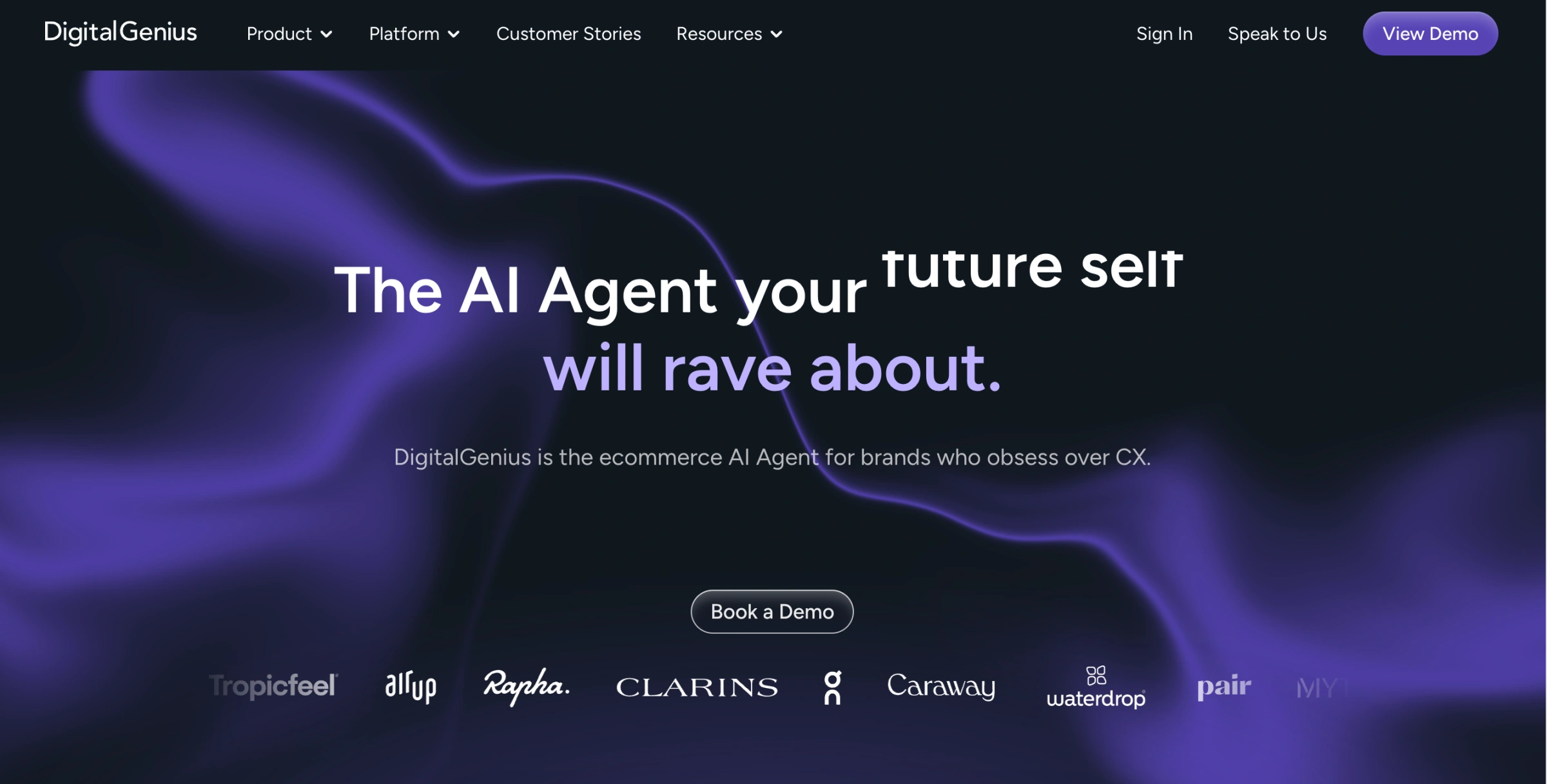
Source: DigitalGenius website
DigitalGenius: AI for complex retail CX
DigitalGenius positions itself as the AI agent built for e-commerce, with a particular emphasis on enterprise-level brands managing complex support operations. The platform targets established retailers dealing with high ticket volumes, product quality issues, and logistics complexity.
The core offering is CARE AI, which bundles Conversational AI, Visual AI, Generative AI, and Voice AI into a unified solution. Deep integrations connect with shipping carriers, e-commerce platforms, ERPs, payment providers, and loyalty systems. For brands using Gorgias or Zendesk, DigitalGenius can layer on top of the existing helpdesk infrastructure.
The standout capability is Visual AI for warranty and defect detection. When customers submit product photos for warranty claims, the AI analyzes the images, detects defects, reads barcodes, and can trigger replacement orders automatically while alerting quality control teams. For brands dealing with significant product defect volumes, this automation removes substantial manual review work.
The platform ships with 60+ pre-built e-commerce use cases covering common scenarios. It also offers proactive issue resolution, identifying and addressing problems before customers reach out. The generative AI component is powered by OpenAI and fine-tuned for retail with built-in safety guardrails.
Notable customers include AllSaints, On Running, Beauty Pie, and Rapha. According to DigitalGenius marketing materials, the platform resolves 40%+ of queries without agent involvement and reduces first response time by 75% or more.
Pricing is not publicly disclosed, requiring custom quotes through sales. The platform is positioned for enterprise operations and may not be the quickest or cheapest path to automation. Setup requires integration with existing e-commerce infrastructure, which can be complex for teams lacking dedicated technical resources. For established retailers with high volumes and complex warranty processes, DigitalGenius offers specialized capabilities.
Source: Decagon website
See Yuma in action
Comparing tools? See Yuma on your own tickets
Yuma works inside your helpdesk and only charges for tickets it fully resolves.
Decagon represents the generalist enterprise end of the automated customer service spectrum. The platform delivers customer support across chat, email, and voice channels. What sets Decagon apart from a typical chatbot for customer service is its action-taking capability: the conversational agents can process refunds, cancel subscriptions, dispute transactions, and execute tasks within company systems rather than just answering questions. Their Agent Operating Procedures (AOPs) let non-technical users define AI behavior using plain language, which simplifies configuration for CX teams managing ecommerce customer service operations. Decagon customers report around 70% automation of CX at the top end.
Decagon combines multiple AI models from OpenAI, Anthropic, and Cohere with their own fine-tuned technology. Voice agents launched in 2025 handle inbound calls, and their analytics dashboard automatically reviews conversations, identifies themes, and suggests knowledge base additions.
The customer list includes big logos like Notion, Duolingo, Rippling, Chime, Hertz, Oura, and Vanta. However, this is exactly what makes Decagon not specialized for e-commerce and DTC companies. There are certainly better tools than Decagon for e-commerce and DTC CX that focuses solely on automating commerce related use-cases.
Decagon's enterprise DNA creates limitations for Gorgias users seeking AI tools for ecommerce. The platform targets large organizations with complex support operations, not Shopify merchants looking for a quick, native integration. Implementation requires alignment between technical and CX teams, adding complexity that e-commerce brands don't want to or shouldn't handle.
For high-growth DTC brands on Gorgias, Decagon solves problems you might not have yet. The enterprise-grade infrastructure is impressive, but it's designed for companies managing millions of conversations across multiple business units. If you're looking for AI solutions for retail that plug directly into your Shopify stack without enterprise overhead, Yuma AI delivers the same action-taking capabilities with purpose-built ecommerce focus.
Source: eesel website
eesel AI: automation for any help desk
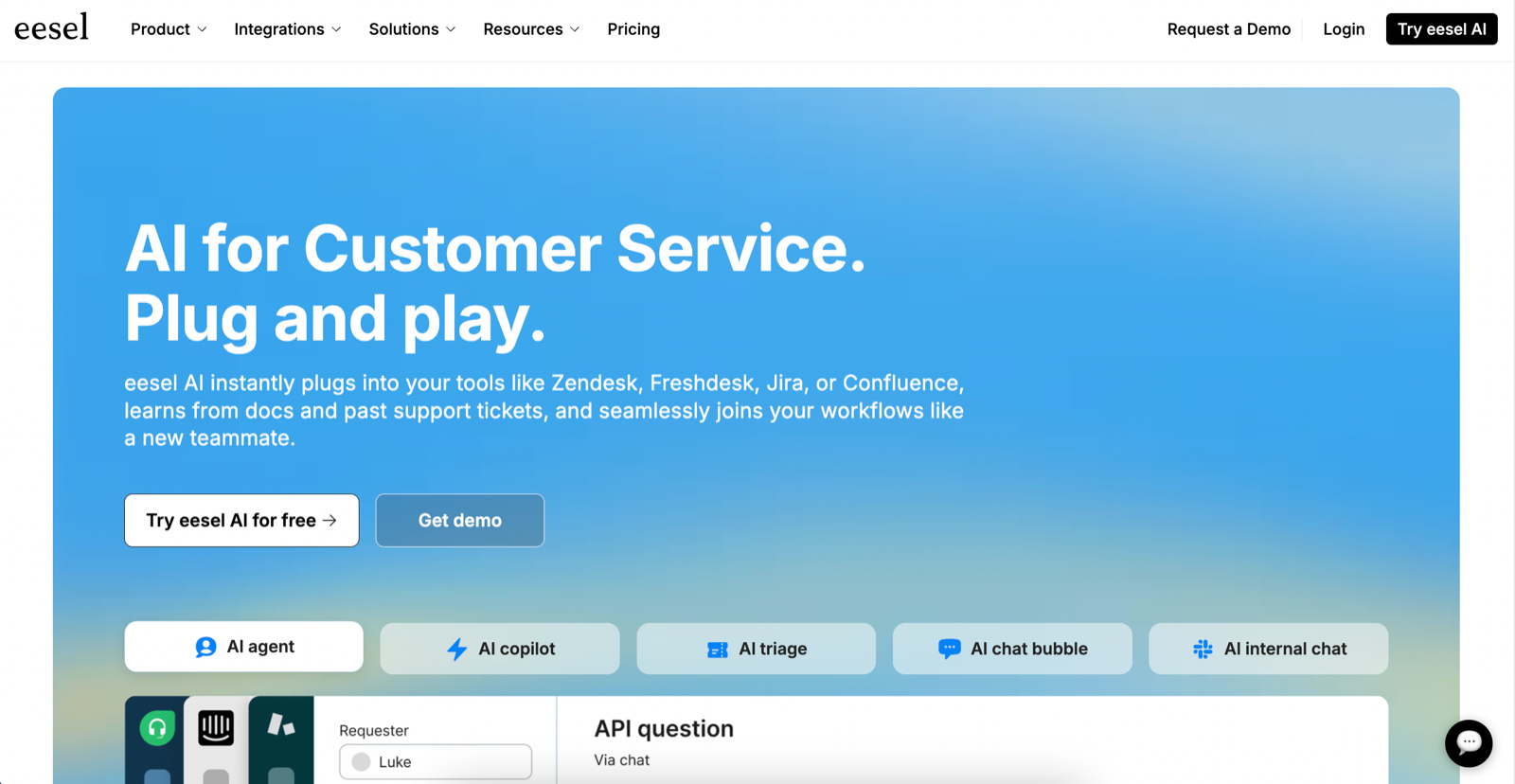
Eesel AI takes a different approach to automated customer service than purpose-built ecommerce platforms. Rather than focusing exclusively on retail, eesel positions itself as general-purpose ai help desk software that works across any helpdesk, including Gorgias. The platform is on the Gorgias app store and can be set up in minutes through a native integration.
The core strength lies in knowledge unification. eesel AI connects to scattered information sources that other ai tools for ecommerce often ignore: Confluence wikis, Google Docs, Notion pages, Slack conversations, and your complete history of past Gorgias tickets. This breadth means the AI can draw from institutional knowledge that lives outside your help center, learning your brand voice and common customer problems directly from how your team has handled similar issues before.
The simulation mode deserves attention. Before going live, you can test eesel AI against thousands of your historical tickets to see exactly how it would have responded. This risk-free preview shows your potential automation rate and highlights gaps in training, letting you fine-tune performance before customers ever interact with it. For teams nervous about deploying ai chatbot for ecommerce solutions, this testing capability provides genuine confidence.
eesel AI offers flat-rate pricing rather than per-resolution fees, which makes monthly costs predictable regardless of volume spikes. The customizable workflow engine lets you specify exactly which ticket types the AI handles versus escalates, with support for tagging, internal notes, and human handoff when needed.
The limitations become clear when you examine ecommerce customer service depth. Because eesel AI is platform-agnostic, it lacks the deep Shopify and commerce-specific integrations that specialized tools provide. Actions like processing refunds, modifying orders, or managing subscriptions require custom API configurations rather than working out of the box. Human escalation is also "supported on request" rather than fully self-serve, which adds friction during setup.
For Gorgias users who need an AI that taps into diverse knowledge sources across their organization, eesel AI offers genuine value. But if your priority is end-to-end ecommerce automation with native order management, Yuma AI's purpose-built approach handles the complete ticket lifecycle without requiring custom integrations for core commerce actions.
Source: AY Automate website
AY Automate: best for brands that want custom AI agents built around Gorgias
AY Automate is an AI engineering company that designs and builds custom AI support agents for teams that have outgrown off-the-shelf bots. For a Gorgias brand, that usually means agents that read order, shipping and returns data from Shopify, the 3PL and the subscription app, draft or send replies inside Gorgias, and hand anything unusual to a human with the context attached. The team builds, connects and maintains the agents, so the CX team keeps its help desk and its macros.
Each agent is built on the brand's own SOPs, macros and past tickets, with integrations for the stack the brand already runs, from Gorgias and Shopify to 3PL and ERP tools. New flows go through review queues, and the team monitors and tunes the agents after launch. AY Automate suits ecommerce brands whose workflows fall outside what a standard AI agent covers, and CX teams that want one partner to build and run their support automation. Pricing is project-based, with a custom quote.
Comparison table
Parameter
Yuma AI
Siena AI
DigitalGenius
Decagon
eesel AI
AY Automate
Primary Focus
Ecommerce and DTC brands
DTC brand voice and tone
Enterprise retail CX
Generalist enterprise
Knowledge unification
Custom AI support agents and automation
Automation Rate
EvryJewels 89%, Petlibro 79%, Clove 70%
65 to 80%
40%+
Around 70%
Not specified
No published figure
Native Commerce Integrations
Native integrations (Shopify, Recharge, Loop, Klaviyo, etc.) + custom API, plus Web Actions for tools with no API
Multiple integrations
Shipping carriers, ERPs, payment providers, loyalty systems
Not specified
Multiple integrations
Built for the brand's stack (Gorgias, Shopify, 3PL, ERP)
Action-Taking
Full (refunds, cancellations, subscriptions, returns)
Yes
Yes
Yes
Limited without custom setup
Custom-built per brand
Visual Processing
Yes (product images, receipts, damage photos)
Yes (Siena Vision for warranty/defect photos)
Yes (defect detection, barcode reading)
Not specified
Not specified
No published detail
Gorgias Integration
Native
Native
Layers on top of existing helpdesk
Not specified
Native
Custom-built
Free Trial
30 days + Playground simulation and per-playbook tests
Yes
Not specified
Not specified
Simulation mode (test against historical tickets)
No published detail
Pricing Model
Performance-based
Per-conversation pricing
Custom quote required
Both per-conversation and per-resolution
Flat-rate
Project-based, custom quote
Implementation
Fast (live within a week)
Learning curve during setup
Complex (requires technical resources)
Complex (requires technical and CX team alignment)
Quick (minutes via native integration)
Built, connected and maintained by the AY Automate team
Best For
Ecommerce teams that want full resolutions, not just replies
Brands prioritizing conversational warmth
Enterprise retailers with complex warranty workflows
Large orgs with needs beyond ecommerce
Teams needing AI trained on scattered knowledge sources
Brands with workflows outside standard AI agents
How to choose the right tool
Most teams approach software-buying in backwards. They start with a demo, get excited about features, and then try to rationalize the decision later. This explains why 58% of businesses report software purchase regret, according to Capterra's 2024 Tech Trends Survey. Nearly half of those said the wrong choice made their company less competitive. The antidote is simple: define what success looks like before you go shopping.
Start with your actual problem, not the solution category
"We need an AI tool" is not a problem statement. Neither is "we want to automate customer service." These are solution categories you've already jumped to. So it's best to back up. What's actually broken? Maybe your team can't keep up during peak season. Maybe CSAT scores dropped after you expanded to new channels. Maybe your best agents spend 60% of their time on repetitive "where is my order" tickets instead of complex issues that require judgment.
Write down the specific pain in concrete terms. Include numbers where you can: ticket volume, response time, resolution rate, agent hours spent on specific ticket types. This becomes your evaluation anchor. Every tool you consider gets measured against whether it solves this problem.
Distinguish resolution from deflection
This is the most important distinction in AI customer service. Deflection means the AI answers a question. The customer gets information, and hopefully they go away satisfied. Resolution means the AI actually completes the workflow: identifying the issue, pulling order data, taking action (processing a refund, updating a subscription, generating a return label), and confirming completion.
The difference matters because deflection handles maybe 20 to 30% of tickets (the ones that are purely informational). Resolution can handle 50 to 80% because most ecommerce support tickets require some action, not just information. When evaluating tools, ask specifically: "Can this process a return through our 3PL without human intervention?" Not "does this integrate with returns management." Integration and action are both important but different things.
Evaluate the vendor's support quality, not just the product
AI tools aren't static products you install and forget. They require ongoing tuning, workflow adjustments, and troubleshooting as your business evolves. If that vendor relationship is slow or unhelpful, you'll feel it every time something needs to change.
When evaluating vendors, ask specific questions: How fast do they respond when something breaks? "Within 24 to 48 hours" sounds reasonable until you're mid-launch and your AI is sending wrong information. The best vendors resolve issues within hours. Who handles your account after you sign? Some vendors hand you to a generic support queue. Others assign dedicated success managers who know your setup and your goals.
Pay attention to how involved they are during implementation. Some vendors hand you documentation and wish you luck. Others run weekly check-ins, map your workflows, and handle the heavy lifting so you're not building everything yourself. The pattern you're looking for is partnership, not just service. Vendors who treat your success as their success behave differently: they fix things without being asked twice, they catch issues before you notice, and they build what you need when standard features fall short.
One test: notice how the vendor treats you during sales. Responsiveness and directness during the buying process usually predict support behavior after you've signed a contract.
Insist on a real free trial with full access
The purpose of a trial isn't to "try the software." It's to validate ROI before you commit. That means you need enough access, enough time, and enough real data to actually measure whether the tool delivers. That's why duration of trial matters. A 7-day trial sounds generous until you realize setup takes a week. By the time you're seeing results, you're being asked to sign.
Some trials restrict you to a sandbox but that tells you nothing about how the tool handles your actual tickets and edge cases. The best trials let you connect your real helpdesk, process real tickets (or simulate against historical ones), and see real automation rates. Before starting, define what success looks like. Write it down: "AI fully resolves 50% of WISMO tickets" or "response time drops below 5 minutes." Then measure against those criteria.
If a vendor won't offer a meaningful trial, ask why. Confidence in the product usually means willingness to let you validate it. Resistance often signals that real-world performance doesn't match marketing claims.
Test against your own tickets, not vendor demos
Demos are theater. The vendor picks the scenarios and shows you the happy path. Of course it looks good. What you need is to see how the tool performs on your actual tickets. The messy ones, the edge cases, the customer who replies with just "???" and expects you to know what they mean.
Most serious vendors offer trials. Use them to pull 100 recent tickets across different categories and run them through. Calculate what percentage got resolved correctly without human intervention. This number matters more than any feature checklist.
Map your actual integration needs
Every vendor says they integrate with popular platforms like Gorgias and Shopify. That's table stakes. The question is how deep that integration goes. Make a list of the specific actions your support team performs daily. Not categories, actual actions:
Editing orders in Shopify before fulfillment
Processing refunds through Stripe or your payment processor
Canceling or modifying subscriptions in Recharge or Skio
Generating return labels through Loop or your 3PL
Adding tags or notes in your helpdesk for follow-up
Updating customer records in Klaviyo
For each action, ask the vendor: "Can the AI do this natively, or does it require custom API work?" The difference between 10 native integrations and 100 native integrations might be the difference between a tool that handles your workflow and one that requires months of development to become useful.
Evaluate the pricing model against your volume patterns
AI tools use different pricing structures, and the right one can depend on your ticket volume, company type, and company stage. Per-ticket or per-resolution pricing works well if your volume is unpredictable or seasonal. You pay for what you use. But run the math at your peak volume to make sure you won't get surprised.
Flat-rate or subscription pricing works well if your volume is steady and you want budget predictability. But make sure you understand what's included. Some flat-rate plans cap the number of tickets or charge overages. Performance-based pricing (where you pay based on outcomes like tickets resolved) aligns vendor incentives with your goals. If the AI doesn't resolve the ticket, you're not paying for it. This model tends to favor high-volume operations where the math works in your favor.
Ask for pricing at your current volume, at 2x your current volume, and at your peak season volume. Compare the total cost of each model across those scenarios.
Assess implementation realistically
How long until this thing actually works? Some tools are genuinely self-serve. You connect your helpdesk, point the AI at your knowledge base, and start testing the same day. These tend to work well for teams with straightforward workflows and existing documentation.
Other tools require configuration, training, and customization. You'll work with an implementation team to build out your specific workflows, train the AI on your processes, and tune responses to match your brand voice. These tend to deliver higher automation rates but take longer to get there. Neither approach is inherently better. Match the implementation model to your timeline and resources. If you need something working before Black Friday and it's already October, a six-week implementation isn't going to cut it.
Talk to similar brands
What you want is an unfiltered conversation with a brand who has your approximate ticket volume, uses your same tech stack, and has been live for at least six months with the vendor you're assessing. Ask the brand:
What was implementation actually like?
What broke that you didn't expect?
What's your real automation rate, not the number from the case study?
Would you choose this vendor again?
Good vendors will connect you with references. If they won't, that's a signal.
Run a structured evaluation
Once you've narrowed to two or three finalists, score them systematically. Create a simple rubric with your must-have criteria, weight them by importance, and rate each vendor. This prevents the trap of choosing whichever vendor had the smoothest salesperson or the prettiest demo.
The rubric doesn't have to be complicated. Something like: problem fit (does it solve our specific pain?), integration depth (can it perform our required actions?), automation potential (what percentage of tickets can it realistically handle?), implementation timeline (does it match our needs?), and total cost (at current and projected volume).
Get input from everyone who'll be affected: your CX team, your ops team, whoever manages your tech stack. The tool that impresses leadership in a demo might frustrate the team that uses it daily.
The bottom line for Gorgias helpdesk users
If you're running ecommerce support on Gorgias and want AI that actually resolves tickets end-to-end, Yuma is purpose-built for this exact use case. It offers deep ecommerce integrations across the tools DTC brands actually use, runs every channel (including phone calls) from one Handbook, publishes results from named customers (EvryJewels automates 89% of its tickets, Petlibro 79% and Clove 70%), and gets you live within a week. The 30-day free trial, Playground and per-playbook tests let you check Yuma against your real tickets before committing.
You can review Yuma pricing details before starting your trial: the performance-based model means you only pay for tickets Yuma actually resolves.
But whatever you choose, follow the process. Define the problem first, test with your own data, talk to real customers. The extra diligence upfront prevents the regret that hits half of software buyers after they've already signed the contract.
Want the full landscape? Our AI customer service software roundup covers the complete market from e-commerce specialists to enterprise generalists.
Curious where this is all headed? We mapped out 7 bold AI predictions for 2035, a look at where the industry is going over the next decade.
Can I use Yuma AI alongside Gorgias without replacing my helpdesk?
Yes. Yuma plugs directly into Gorgias as an automation layer. Your agents keep working in the same Gorgias interface while Yuma handles tickets end to end behind the scenes. No migration, no re-platforming.
What automation rate can I expect on Gorgias with Yuma?
It depends on your ticket mix. Published customer results: EvryJewels automates 89% of its tickets, Petlibro 79% and Clove 70%, and Tediber has AI coverage on 64% of its customer queries. Repetitive post-purchase requests (order status, returns, address changes, subscription edits) automate furthest, while bespoke, high-touch requests stay with your team.
How long does it take to set up Yuma on Gorgias?
Most brands go live within a week, with no implementation fee. Ask Yuma drafts your Handbook from the macros, SOPs and tickets you already have, your Yuma team connects your helpdesk and store, and each playbook goes live gradually once its tests pass. You don't need engineers at any point.
Do I only pay for tickets Yuma actually resolves?
Yes. Yuma uses performance-based pricing: you're only charged when Yuma fully resolves a ticket. Escalations to human agents aren't billed, and the first 30 days are free.
Can Yuma handle returns, refunds, and order changes inside Gorgias?
Yes. Yuma executes real actions in Shopify (and other commerce platforms) directly from the Gorgias ticket thread (refunds, exchanges, subscription pauses, order edits, return labels), all with built-in guardrails and audit trails.