Most teams searching for DigitalGenius alternatives assume they're looking for the same thing; a comparable AI platform with similar capabilities and a similar fit. That's the wrong frame. DigitalGenius is great at what it does. The problem, for many ecommerce brands is looking for an alternative before understanding what their customer support actually needs. We live in a world where every tool (regardless of their marketing claims) is specialized in something. That's why choosing the right alternative is more about finding the right match than finding the best tool.
This guide covers five alternatives built for different ecommerce profiles: brands scaling fast and drowning in post-purchase volume, enterprise brands that need broad channel coverage, brands where tone consistency matters as much as automation rate, and teams already invested in a specific helpdesk stack. The right ecommerce customer service answer depends on which problem you're actually solving.
Why DTC ecommerce brands look for DigitalGenius alternatives
The search for automated customer service tools often starts with a frustrating realization: the platform you evaluated was built for a different problem.
DigitalGenius was designed for enterprise retailers with complex visual AI workflows at the core: warranty claim processing from customer-submitted product photos, automated defect detection, barcode scanning to identify affected SKUs across large retail catalogs. These are hard problems, and DigitalGenius is built to solve them. Its customer list reflects that orientation: large established retailers with dedicated IT teams and support queues where image-based workflows are a significant operational challenge.
Most ecommerce brands, even large ones, aren't dealing with barcode-scan workflows; nor do they have dedicated IT teams. Their top ticket types are usually WISMO, return requests, subscription management, and billing questions. For instance, WISMO alone accounts for 30 to 50% of support volume at most Shopify brands. And often 80% of tickets are the same five questions. The core challenge for most brands is having purpose-built automations for queries that dominate the queue, and to be able to automate that with high accuracy.
The implementation model is another challenge for brands taking up DigitalGenius. Its onboarding is built for enterprise organizations that have technical resources and the platform has a steep learning curve and is complex to use (according to real user reviews on G2). For a fast-growing brand or enterprises that want to keep their customer support team lean, a months-long deployment with IT requirements is a problem.
So the real evaluation question isn't which alternative matches DigitalGenius feature-for-feature. It's which platform is built for your needs and has the accuracy level you desire.
What to look for when evaluating DigitalGenius alternatives
Before shortlisting any platform, get specific about what you're actually evaluating. Most comparison articles frame this as "ease of use" or "customer support". These categories are too vague to test in a demo. The five questions below are ones you can take to any vendor and get a concrete answer.
Does the platform have pre-built automations for your actual ticket types?
The gap between "we support ecommerce" and "we have dedicated automations for WISMO, returns, and subscription management" is real. A complex AI platform can handle those ticket types, but only after someone configures it. An easy to use and ecommerce-native platform arrives with those workflows already built. So ask during demo calls: what does day-one coverage look like for your top three ticket types, without custom configuration?
How much support comes with the platform, and what's the support model?
This is a critical onboarding question, and the answer varies more than vendors will admit. Some platforms are self-serve by design. Some offer optional support packages. Some assign an account manager who handles configuration end-to-end. For a support team that's already stretched, optional, self-serve or intermittent support is a real challenge. Know what you're signing up for before you commit.
What happens when the AI is uncertain?
Most vendors talk about what their AI does when it's confident. Fewer explain what it does when it isn't. A well-designed system has defined escalation paths with specific conditions under which the AI stops attempting to resolve a ticket and routes to a human instead. Ask for the list. If the answer is vague, that's a signal. A solid platform will have sophisticated guardrails to make sure wrong answers never reach customers.
Do you pay for tickets the AI fails to resolve?
Pricing model alignment matters more than headline price. Some platforms charge per ticket regardless of outcome which means you pay the same rate whether the AI resolved the issue or escalated it to your team. Others charge only for fully resolved tickets. Yuma, for example, only invoices for tickets it closes autonomously; escalations don't count. That structure aligns the vendor's revenue with your outcome. Ask specifically: what counts as a billable automation?
Does it run inside your existing ecommerce help desk, or does it replace it?
Most ecommerce and DTC teams aren't looking to change helpdesks or commerce-platforms. The right question is whether the AI tool connects to your existing stack (Gorgias, Zendesk, Shopify) or requires migrating away from it. Migrating your entire ecommerce customer support operation to a new helpdesk is a multi-month project with real switching cost.
A ranking is only worth trusting if you can see how it was scored. Here's the rubric we used, laid out in full so you can check our work and draw your own conclusions. Here's our scoring rubric:
Dimension
Weight
Measurement Signals
E-commerce Fit
20%
Built-in order and refund APIs, Shopify/BigCommerce integrations, merchant-oriented automations
Feature Depth & Gen-AI Quality
20%
Breadth of product capabilities and response quality
Onboarding Speed
10%
Time to first live bot, no-code workflows, pre-configured intents
Pricing Models
10%
Publicly listed pricing, trial availability, usage or outcome-based billing
Security & Compliance
10%
SOC 2 and relevant regulatory certifications
User Sentiment
10%
Combined G2 Satisfaction and Trustpilot TrustScore ratings
Analyst & Market Recognition
5%
Inclusion in Gartner/Forrester reports and industry awards
Integrations & Ecosystem
5%
Ready-made connectors, open APIs, app marketplace
Innovation Velocity
5%
Shipping cadence, notable Gen-AI feature releases
Customer Success & Support
5%
SLA tiers, assigned CSMs, community feedback
See Yuma in action
Comparing tools? See Yuma on your own tickets
Yuma works inside your helpdesk and only charges for tickets it fully resolves.
The 5 best DigitalGenius alternatives for ecommerce customer service in 2026
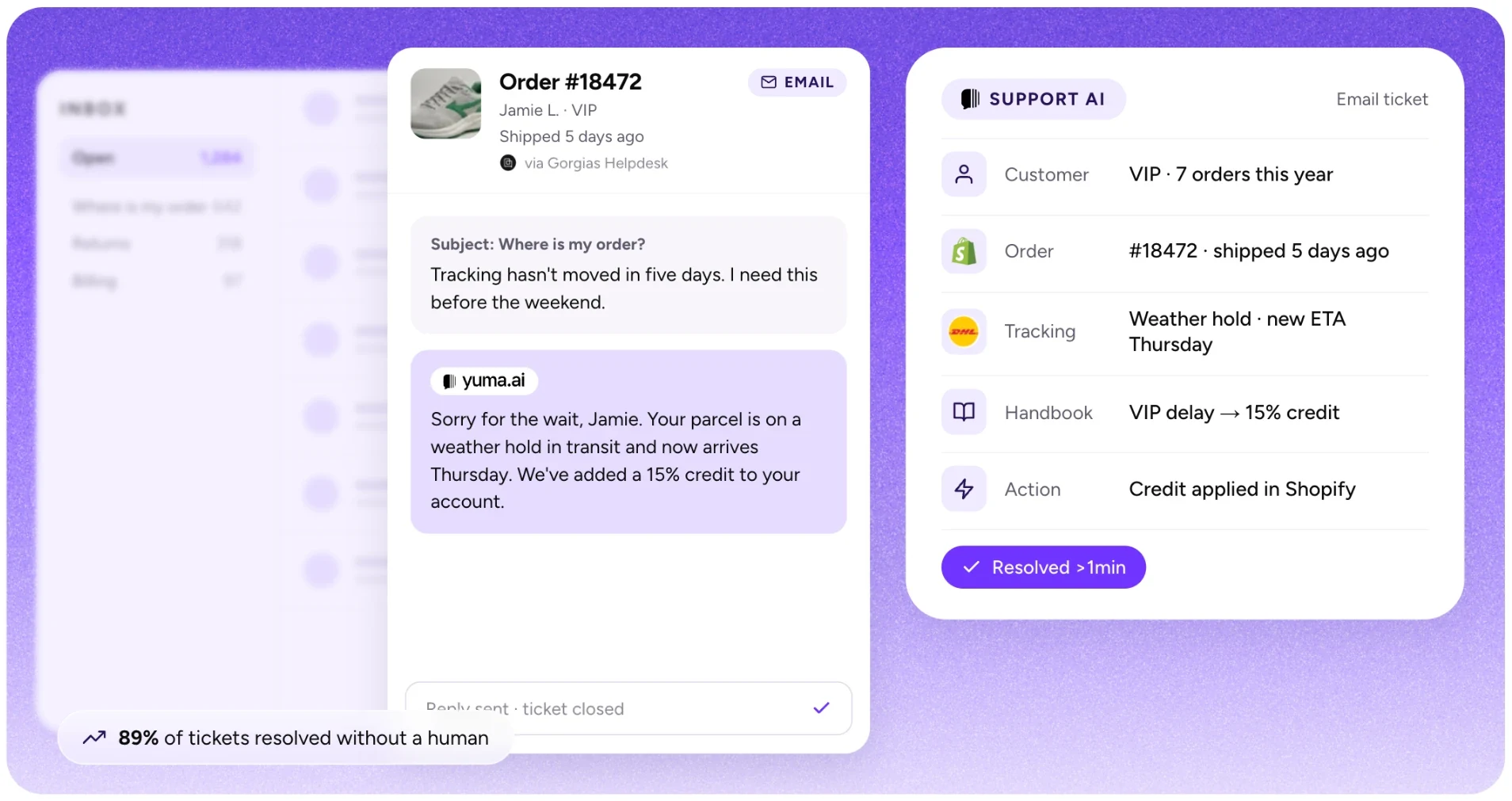
Source: Yuma website
1. Yuma AI: best for ecommerce teams that want full resolutions and white-glove support
We're applying the same lens to our own platform that we use for every alternative on this list: real capabilities, verified outcomes, honest gaps, and a clear picture of who it's built for.
Yuma is an AI customer service platform for ecommerce brands. With Yuma 2.0, one written Handbook, managed in plain language, runs every customer conversation across email, chat, SMS, WhatsApp, social DMs, outbound outreach and phone calls. Ask Yuma writes the Handbook from your SOPs or real tickets, every playbook carries its own tests, and changes roll out gradually. Yuma works inside your existing helpdesk, takes actions in your backend, and with Web Actions can complete tasks in tools that have no API.
It connects to helpdesks like Gorgias, Zendesk, Kustomer and Front, and integrates with commerce platforms like Shopify, WooCommerce, and more. Yuma integrates with several third-party tools in the ecommerce ecosystem; view all Yuma integrations here. Yuma is used by 110+ ecommerce brands across the U.S. and Europe.
One reason Yuma comes up often in conversations about DigitalGenius alternatives is setup and day-to-day usability. Customer service teams manage Yuma in plain language, without engineering resources or a steep learning curve. A dedicated account manager handles the full implementation, and that support continues indefinitely.
What Yuma covers
Everything Yuma does runs from the Handbook, a single, versioned source of truth for how your brand does customer service. It has three kinds of pages: brand pages (how Yuma sounds, per store, channel or language), playbooks (what to do in each customer situation) and procedures (the exact steps behind a playbook, written once and referenced everywhere). You describe how you do support, upload an existing SOP, or point at real tickets, and Ask Yuma writes the pages. Every change lands as a draft, and nothing goes live until a human publishes it.
The same Handbook runs every channel: email, chat, SMS, WhatsApp, social DMs and comments, review platforms, outbound email and SMS, and phone calls. Yuma Voice answers your support line 24/7 and takes backend actions mid-call, like address corrections, cancellations and refunds, each confirmed out loud first. Event playbooks start conversations from business events, like an order placed or a parcel delivered, and Yuma schedules the follow-ups itself.
For steps that need strict deterministic logic (refund thresholds, VIP routing, cancellation policies), Flows, Yuma's visual builder, keep working alongside the Handbook: a playbook names the Flow where it applies. Yuma also handles visual inputs like images and screenshots for product troubleshooting.
One feature that gets consistent praise from support teams is Deep Search: a conversational search engine built on your entire ticket history. You ask a question in plain language, it returns sourced answers pulled from real past conversations.
Sales AI is a pre-purchase add-on that runs on the same Handbook. It answers buyer questions on your product pages and lets shoppers add items to cart directly inside the chat, which helps reduce abandonment.
Actions, not just answers
Yuma executes real ecommerce actions autonomously: canceling orders, processing refunds, pausing and reactivating subscriptions, changing subscription frequency, updating shipping addresses, issuing gift cards, creating discount codes, generating return labels, and restocking canceled items, and a lot more. Each action runs within business rules with hard limits you define (for example, Yuma verifies order identity before acting and enforces caps on reships and gift cards). It operates across tools and platforms while holding full context of the interaction, the way a human agent would.
With Web Actions, Yuma drives a real Chrome browser to complete tasks in tools that have no API, like filing a claim in a carrier portal or adjusting stock in a back-office tool. You set one up by recording a video of yourself doing the task once. The tool needs to be reachable from a browser on the open web; on-premise and VPN-only systems aren't supported.
Quality architecture
Every playbook carries its own tests: example situations with the outcome you expect. Ask Yuma writes most of them while it builds your Handbook, and you can turn any real conversation into a test. When a policy changes, Yuma reruns the suite as simulated conversations, with nothing real touched, and a failing test points to the page that needs fixing.
Safety Guard, a validation layer between Yuma's response and the customer's inbox, catches issues before they reach real customers, and Fraud Shield validates order identity and per-customer limits before any action. Playground lets you simulate changes on real tickets before going live. You can set operational guardrails like hard caps on discount percentages and cancellation windows, and Flows enforce deterministic rules that execute identically every time. When the Handbook doesn't cover a request, Yuma doesn't improvise: it hands the conversation to your team and logs the gap as an open question to answer once. Yuma is also SOC 2 Type II certified.
Verified results
Customers with proven results and published case studies: Glossier saw 87% faster responses. Clove reached 70% automation with a 3x ROI within three months. EvryJewels automates 89% of its tickets, with 63% lower cost. Petlibro reached 79% automation. CABAIA saw 74% lower support cost. MFI Medical automated 64% of its tickets, with 87% faster first responses.
Implementation
Yuma comes with white-glove support, included at no extra cost for all contracts, and most brands are live within a week. Ask Yuma drafts your Handbook from the macros, SOPs and tickets you already have, and your dedicated account manager connects your helpdesk and store and reviews the setup with you. Each playbook then rolls out on a small share of matching conversations, for example 10%, and goes up as accuracy and CSAT hold. No engineering work required from your team.
This is one of the clearer contrasts with platforms like DigitalGenius, where implementation can demand significant internal resources and technical involvement. Yuma handles the heavy lifting on your behalf, and that support doesn't end after launch. Account managers stay engaged proactively, working with you to hit your automation targets over time.
Pricing
Yuma's pricing is now published as illustrative annual tiers (Starter, Growth, and Scale), each with a per-resolution rate, with each bundle sized to your forecast during a demo call. The first 30 days are free, there's a $0 implementation fee, and Yuma only charges for tickets it actually resolves: conversations and escalations don't count.
If you want to understand the pricing model before reaching out, see Yuma's pricing for a breakdown of how outcome-based billing works.
Limitations
Yuma is not a helpdesk, because it's built to do one thing best: AI automation. It works alongside your existing helpdesk (Gorgias, Zendesk, etc.), not as a replacement. The platform is focused on ecommerce use cases, so you need a commerce platform to connect it to. Pricing is now published up front, though each bundle is still sized to your forecast during a demo.
Staying out of the helpdesk game is a deliberate choice for us. Helpdesks and AI automation are two different problems, and trying to do both tends to mean doing one of them poorly.
Best for
Ecommerce teams that want full resolutions, not just replies. Particularly relevant if you've been running a platform that demands a lot of internal technical resources to configure and maintain, and you'd rather use a platform that's much easier and purpose-built for your industry. Yuma covers support on every channel, including phone calls, plus outbound outreach and pre-sales, all from one Handbook.
For a detailed feature-by-feature breakdown, see the Yuma vs DigitalGenius comparison page.
Source: Siena website
2. Siena AI: best for DTC brands where brand voice consistency is the primary concern
Siena AI brands itself as the "first empathic AI customer service platform" for ecommerce. The platform has built a real presence among mid-market DTC brands, with customers including K18, Kitsch, Simple Modern, etc.
Where Siena stands out relative to DigitalGenius is accessibility. Siena was built for customer support teams at DTC brands who want to manage their own AI, not for enterprise IT departments running complex multi-system processes. The admin UI gets frequent praise in user reviews, and the platform is designed so non-technical operators can configure automations.
What Siena covers
The technical core is Siena's Cognitive Reasoning Engine (CoRE), which handles multi-intent queries. If a customer asks about a return and places a new order in the same message, CoRE processes both in a single coherent response instead of bouncing the customer between separate workflows. The platform also offers AI Personas, letting brands configure distinct tones and communication styles per channel. For brands where personality is part of the product (beauty, fashion, lifestyle), this level of voice control matters.
Results
Siena claims up to 80% automation with a 4.81 out of 5 CSAT score. The most detailed public case study is Simple Modern: 79% of customer replies automated, 80 hours saved per week, and a 98% satisfaction rating. Fuel Meals cut response time to 3 minutes and CX costs by 50%. More customer stories are available on Siena's customer page, though most are social proof quotes rather than full case studies with detailed metrics.
Implementation
Siena claims its faster to deploy than traditional solutions, and the platform does offer pre-built automation templates that help teams get started quickly. That said, Siena's own enterprise implementation guide outlines a 6-week blueprint to reach full operational autonomy; which can be long for some brands. Third-party reviews on G2 note a learning curve around advanced features like AI Persona customization and multi-platform automation configuration. For teams coming from DigitalGenius who are looking for a lighter implementation experience, Siena is a step in the right direction, but the advanced features still require hands-on tuning.
Pricing
Siena uses conversation-based pricing at roughly $0.90 per conversation plus a $750/month platform fee, though full pricing details require talking to sales. One thing worth understanding: Siena charges per conversation handled, regardless of outcome (whether the issue was fully resolved or not). At higher volumes, that distinction can affect your effective cost per resolution.
Limitations
Siena focuses exclusively on DTC. Brands selling across Amazon, eBay, Walmart, or other marketplaces alongside their Shopify store may need a separate solution for those channels. The AI Personas feature delivers strong brand voice control, but some G2 reviewers mention a learning curve in configuring the system and occasional unpredictability in edge cases. And while Siena publishes customer quotes and a few detailed case studies, the volume of verified, metrics-heavy case studies is thinner compared to others on this list.
Best for
DTC brands in the mid-market that prioritize brand voice and want a platform their customer support team can operate without heavy engineering involvement.
Source: Gorgias website
3. Gorgias AI: best for Gorgias users who want AI without adding a new vendor
Gorgias is a helpdesk built for ecommerce, used by over 15,000 brands. The AI Agent is the automation layer inside the helpdesk. If you already run support through Gorgias and you're evaluating DigitalGenius alternatives, it's can be a good choice. However, their AI layer doesn't work with other helpdesks and that can be a major limitation for brands.
What Gorgias AI covers
The AI Agent works in two modes. The Support Agent handles post-purchase queries (order tracking, returns, address changes, cancellations) using real-time Shopify data. The Shopping Assistant, added with AI Agent 2.0 in mid-2025, works pre-sales in chat and email: product recommendations, buyer questions, and intent-based discounts.
Gorgias AI deploys on email, chat, and SMS. Social channels exist in the helpdesk but don't yet support AI Agent automation. Configuration uses plain-text "Guidance" instructions, tone controls, and a Vision feature for analyzing customer-submitted images (it works on email only).
Verified results
Gorgias states the AI Agent resolves up to 60% of common support inquiries. Brands using the Shopping Assistant report up to 2.5x higher chat conversion rates.
Implementation
For brands already on Gorgias + Shopify, setup is straightforward. Point the AI at your help center, store data, and uploaded docs, then configure Guidance and tone. For brands on Zendesk, Kustomer, or another helpdesk, using Gorgias AI means migrating your entire helpdesk, not just adding an AI layer.
Pricing
Two-layer model. A helpdesk subscription based on ticket volume ($10 to $900/month depending on tier), plus an AI Agent fee of around $0.90 to $1.00 per automated resolution on top. Both fees can apply to the same ticket. Worth modeling carefully for volume spikes. Free trial is 7 days.
Limitations
Platform lock-in is the biggest constraint because Gorgias AI only works inside Gorgias helpdesk. Channel coverage for AI automation is narrower than dedicated platforms (no social, Vision is email-only). The AI can only access the last 10 orders per customer (this is a major limitation). And because Gorgias is a helpdesk first and AI automation second, dedicated AI platforms that plug into your existing helpdesk tend to go deeper on quality validation, multi-system actions, and guardrails.
Best for
Ecommerce brands already on Gorgias + Shopify who want AI automation without a new vendor. Less suitable if you're on a non-Gorgias helpdesk or need AI automation across social channels today.
Source: Zendesk website
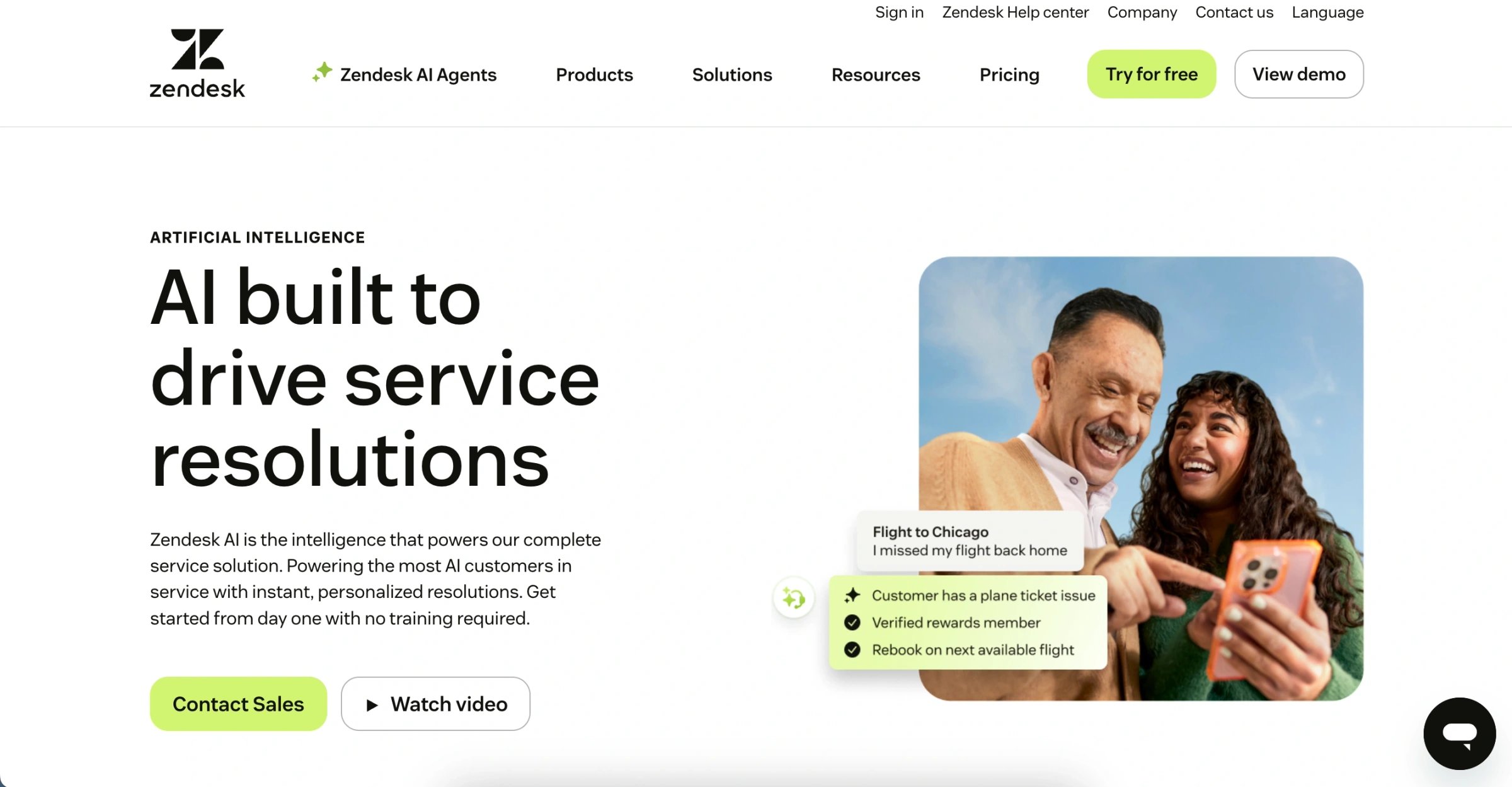
4. Zendesk AI: best for brands on Zendesk that need multi-channel coverage beyond email and chat
Zendesk is the largest general-purpose helpdesk on the market, used by over 100,000 businesses. Its capabilities now include AI Agents for customer-facing automation and Copilot for agent assistance. If you're coming from DigitalGenius and already run Zendesk as your helpdesk, the native AI is the obvious first option to evaluate.
What Zendesk AI covers
AI Agents resolve customer queries across email, chat, and voice using your help center content. They come in two tiers: Essential (included with Suite plans) and Advanced (paid add-on with custom flows, API integrations, and deeper analytics). Copilot is a separate agent-assist add-on for ticket summaries, suggested replies, and tone shifting. AutoQA scores 100% of conversations across human and AI agents.
A Shopify integration lets agents view orders and process refunds inside Zendesk, but ecommerce-specific workflows (subscription management, return labels, cart recovery) require configuration or third-party connectors rather than being built in.
Verified results
Zendesk states AI Agents can resolve up to 60% of interactions. Specific customer metrics are less commonly published as standalone case studies compared to other ecommerce-focused platforms.
Implementation
Essential AI Agents are quick to enable. Advanced AI Agents require more setup, custom flows, knowledge configuration, and ongoing tuning. For teams not already on Zendesk, this means adopting a full helpdesk platform alongside the AI.
Pricing
Per-agent Suite plans start at $55/month (billed annually), scaling to $169/month for Enterprise. AI Agents include a small monthly allocation of automated resolutions; beyond that, you pay $2.00 per resolution ($1.50 with a volume commitment). Advanced AI and Copilot are separate per-agent add-ons. Costs compound as team size and automation volume grow. Zendesk has one of the most advanced and complex pricing structures in the market. Free trial is 14 days.
Limitations
Zendesk is a horizontal platform, not ecommerce-specific. No native subscription actions, return label generation, or deep commerce integrations out of the box. The AI relies heavily on your Help Center for knowledge, so automation quality depends on how well-maintained that content is. Advanced features are gated behind add-ons, and per-agent pricing means every add-on multiplies across your team. The pricing layers (base plan + AI resolutions + Copilot + QA) can make total cost hard to predict.
Best for
Teams already on Zendesk who want native AI without a new vendor. Less suitable if you need deep ecommerce automation out of the box or if per-agent pricing creates budget pressure.
Source: Ada website
5. Ada: best for enterprise brands with multi-channel needs and internal technical resources
Ada is an AI-first customer service platform built for enterprise-scale automation across industries including financial services, healthcare, SaaS, travel, and retail. It's one of the more established players in AI support, and if you're leaving DigitalGenius because you want a broader, cross-industry AI platform rather than an ecommerce-specific one, Ada can be a good alternative.
What Ada covers
The platform covers messaging, voice, and email from a single system, supports 50+ languages, and offers Playbooks for automating multi-step workflows like refunds, order tracking, and account verification.
Ada connects with helpdesks like Zendesk, Salesforce, Gorgias, Gladly, Kustomer, and Dixa, along with contact center platforms like Genesys and Amazon Connect. There's a Shopify integration for order lookups and customer data, though end-to-end commerce actions (refunds, exchanges, subscription changes) typically require wiring Ada to storefront APIs rather than working out of the box.
Verified results
Ada claims up to 83% automated resolution of support issues. Named customers include brands like Pinterest, monday.com, Zapier, and Ancestry. Most published results however, are in non-ecommerce verticals.
Implementation
Ada is positioned as an enterprise deployment. Implementation generally involves professional services engagement, and timelines can run several weeks to months depending on complexity. G2 reviews flag a learning curve around bot training, issues with integrations, and AI limitations.
Pricing
Ada does not publish pricing. All plans require a sales conversation. Third-party sources cite starting prices around $60,000/year. Professional services fees are typically additional.
Limitations
Ada's multi-industry architecture is its strength and its trade-off. For ecommerce brands on Shopify with Gorgias or Zendesk, Ada delivers more platform than needed while lacking the native, out-of-the-box ecommerce logic (subscription management, return label generation, per-customer reship limits) that purpose-built ecommerce tools provide by default. G2 reviewers also note recurring issues with integration complexity and occasional AI response quality problems.
Best for
Large enterprise brands across multiple industries that need AI automation at scale across messaging, voice, and email, and have the budget and implementation timeline for a high-touch deployment. Less suitable for mid-market ecommerce teams that want fast time-to-value with deep, native commerce workflows.
How to choose the right DigitalGenius alternative for your brand
Start with these two questions before you go into demo calls:
What are your top three ticket types by volume?
Pull tickets from the last 90 days. If WISMO, returns, and subscription management dominate, you want a platform with pre-built automations for exactly those workflows rather than a horizontal tool that requires configuring them from scratch. If your ticket mix is more varied across channels, industries, or complex product categories, a more configurable platform makes sense.
Who handles the setup, and do you have that capacity?
White-glove onboarding means account managers build and configure everything; your team invests under three hours per week. Self-serve platforms shift that work to your support team. If you're already stretched and ticket volume is growing, adding a multi-week internal implementation project has a real cost.
Decision matrix (adjustable weights)
Distribute 100 points across these criteria based on what matters most to your team, then rate each vendor from 1 to 5 and multiply.
Criterion
Default weight
E-commerce actions (refunds, exchanges, order edits within helpdesk)
25
Onboarding speed
15
Data & guardrails
15
Security & privacy
15
Accessibility & localization
10
Ecosystem fit
10
Observability & audit
10
Tip: If you're a multi-brand Shopify operation with high return volumes, consider raising E-commerce actions to 30 to 35 and reducing Ecosystem fit to 5.
DigitalGenius is an AI automation platform built for enterprise retail, with specialized strengths in visual AI workflows: warranty claim processing from customer-submitted product photos, defect detection via image recognition, and barcode scanning to identify affected product SKUs.
What is the best AI chatbot for ecommerce?
It depends on your primary use case and existing helpdesk. For Shopify-native brands with high WISMO and returns volume, Yuma resolves tickets end to end from one Handbook: EvryJewels automates 89% of its tickets, Petlibro reached 79% automation and Clove 70%.
How much do DigitalGenius alternatives cost?
Pricing models vary: Yuma charges per fully resolved ticket (escalations aren't charged; first 30 days free; published annual tiers sized to your forecast during a demo). Gorgias AI charges $0.90 per resolved conversation annually, plus the base helpdesk ticket fee. Zendesk AI runs $55 to $169 per agent per month plus a $50/agent AI add-on and $2.00 per automated resolution. Siena and Ada both require sales contact for pricing. Siena is reported at approximately $0.90 per conversation plus a $750/month platform fee; Ada implementations typically start around $60,000 per year (according to third party sources).
How long does it take to set up a DigitalGenius alternative?
Setup timelines vary by onboarding model. Most brands go live with Yuma within a week, with no implementation fee. Ask Yuma drafts your Handbook from the macros, SOPs and tickets you already have, your Yuma team connects your helpdesk and store, and each playbook goes live gradually once its tests pass. You don't need engineers at any point. Gorgias AI can be activated immediately for existing Gorgias users. Siena uses a 6-week implementation blueprint. Ada typically requires 8 to 16 weeks before delivering meaningful results. Zendesk AI's timeline depends on the scope of your existing Zendesk configuration.
What are the main reasons teams switch from DigitalGenius?
The most common reasons are use-case fit and implementation model. DigitalGenius's visual AI capabilities (warranty processing, defect detection, barcode scanning) are optimized for enterprise retail workflows. Ecommerce and DTC brands whose ticket queues are dominated by WISMO, returns, and subscription management often find those strengths don't map to their actual problem. The enterprise-oriented implementation model also requires IT resources that lean DTC teams typically don't have.
If you're also evaluating Siena as part of your shortlist, the Yuma vs Siena comparison covers the two platforms side by side across automation depth, brand voice controls, and pricing model.