Build your own AI support agent, or go live next week?
An in-house built AI agent is easy to start and hard to run. Yuma gives your team the control of a custom build without owning the infrastructure.
- 140+ brands
- 5M+ tickets processed
- SOC 2 Type II compliant
Brands that run support on Yuma





















The trend
Why so many teams are building in-house right now
Large language models got good, fast. Claude and GPT can read a policy, follow instructions and write a reply that sounds like your brand. Shopify and every major helpdesk have open APIs, and tools like n8n make it easy to wire them together.
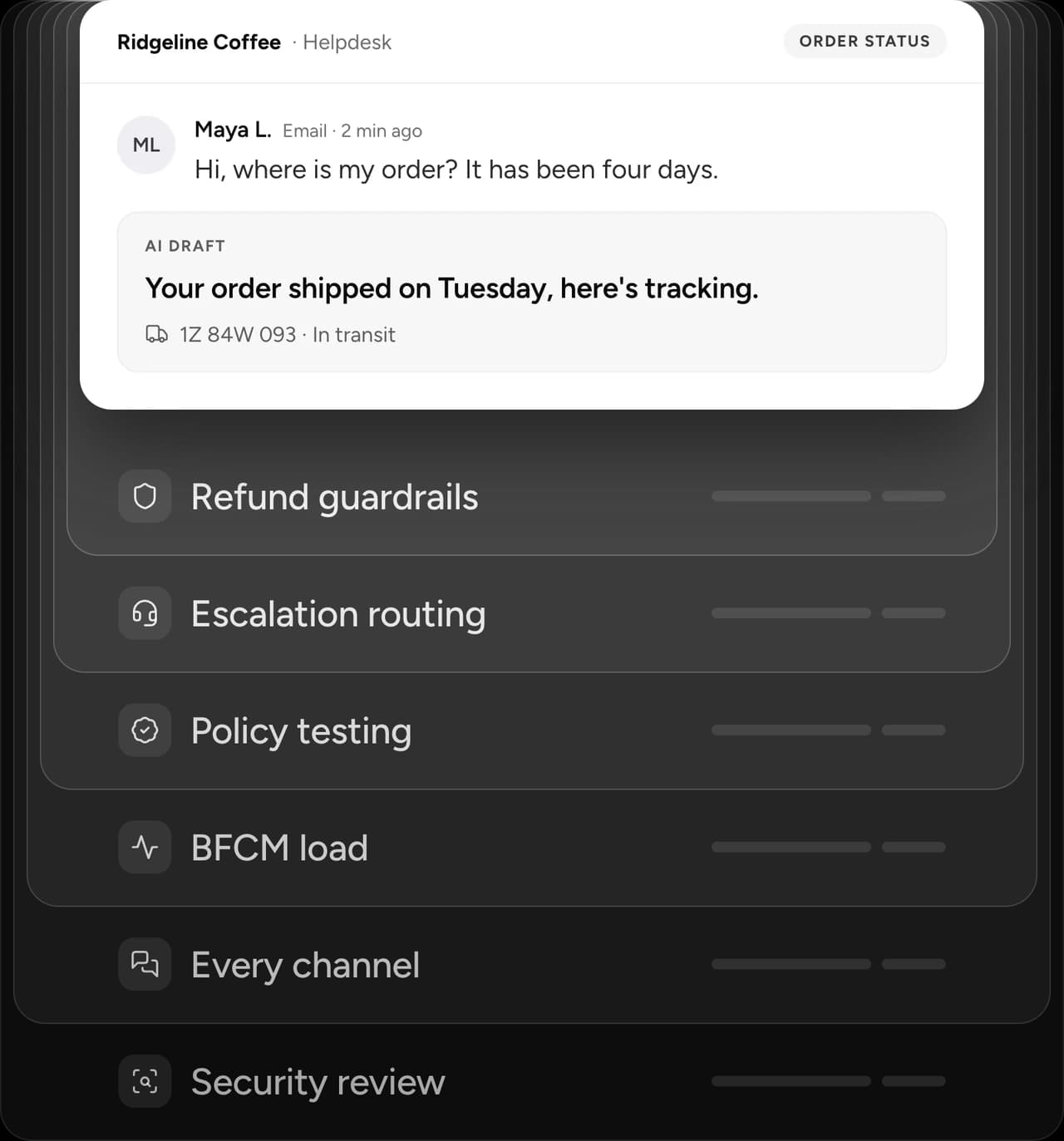
So a capable developer or a technical ops lead can get a working prototype in days. It pulls the order from Shopify, drafts a reply in Gorgias or Zendesk, and answers “where is my order?” beautifully in a demo.
That prototype is real progress, and the instinct behind it is right: an AI support agent should be handling a big share of your tickets. The question is what it takes to run it on every ticket, every day, through Black Friday and Cyber Monday.
Prototype vs production
What your prototype does, and what production needs
The prototype handles the happy path. Production is everything that happens when the path isn't happy, at volume, with real money and real customers on the line.
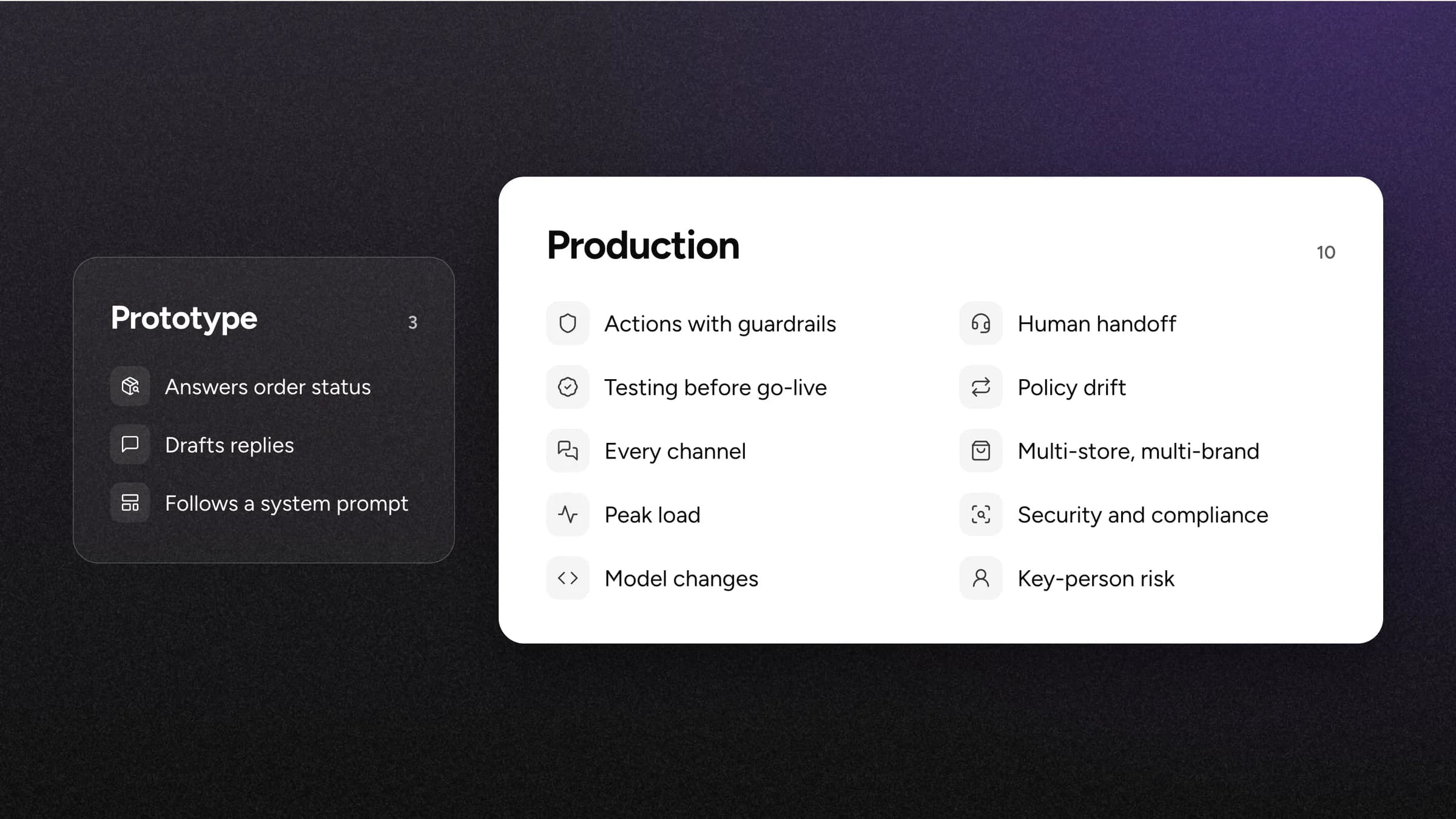
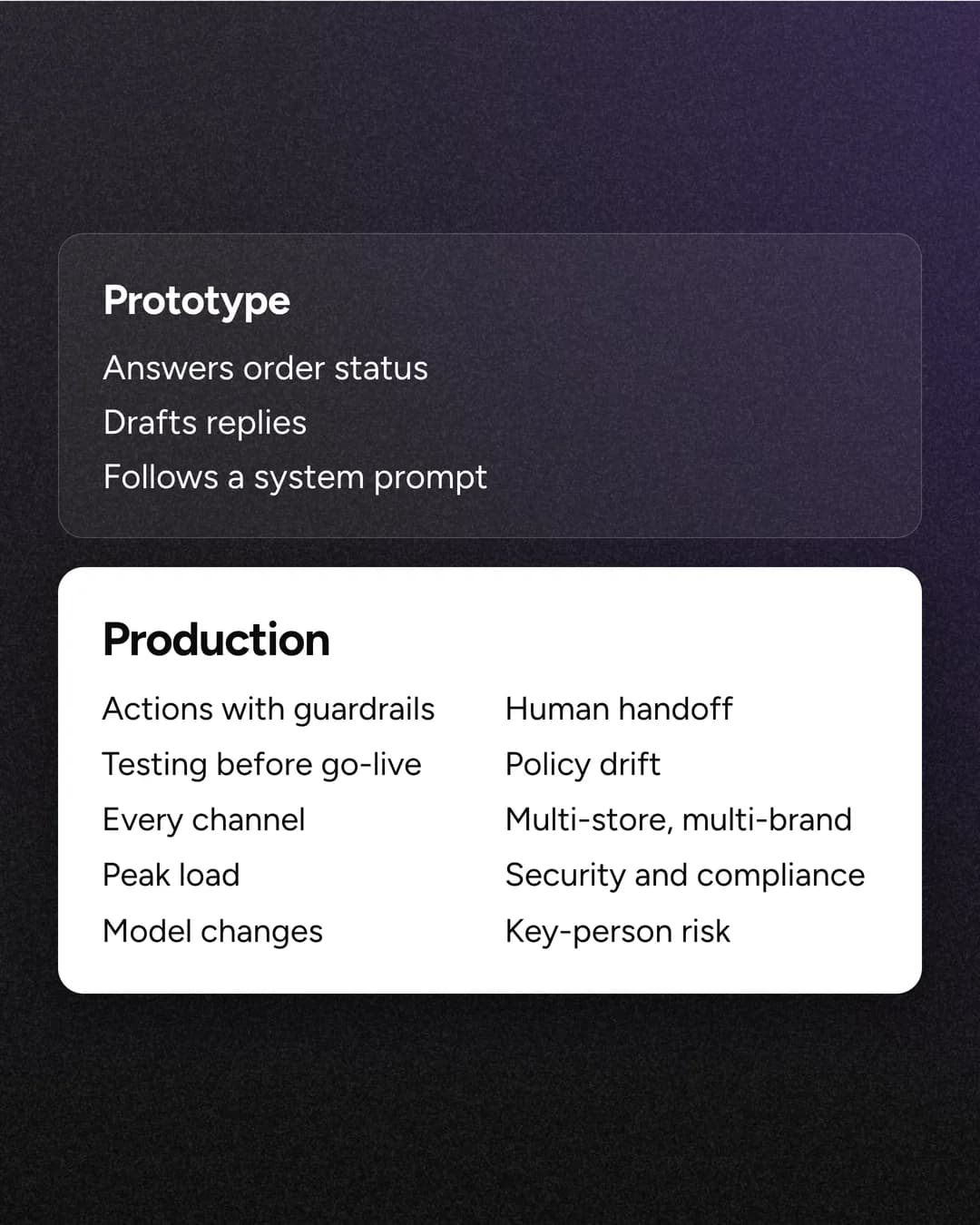
What the prototype covers
- Answers order-status questions from Shopify data
- Drafts replies in your helpdesk
- Follows a system prompt
What production adds
Actions with guardrails
Refunds, cancellations, address edits and subscription changes, each with limits and approval rules.
Handoff that doesn't lose the customer
Knowing when to escalate, and routing to the right person with the full context.
Testing before anything goes live
Checking that a policy change doesn't break 40 other answers. Yuma runs each playbook's tests before you publish.
Policy drift
Return windows, promos and shipping rules change weekly, and someone has to keep the prompt in sync. With Yuma, the Handbook is the single source of truth and changes apply on the next conversation.
Every channel
Email, chat, SMS, WhatsApp, social, product reviews, voice and outbound. Each one is its own integration project.
Multi-store and multi-brand voice
Different stores, policies and tones, without forking the agent for each one.
Peak load
BFCM volume, API rate limits and latency, on the days you can least afford a slowdown.
Security and compliance
SOC 2 Type II, data handling and PII, plus the security review that comes with them.
Model changes
Every model update can shift behavior. Someone has to re-test before customers notice.
Key-person risk
When the person who built it leaves, the knowledge of how it works often leaves too.
The real cost
What building in-house actually costs
The prototype is cheap. The bill comes from owning it. Here is what it takes, in round numbers you can check against your own.
Engineering time
Senior AI engineers in the US average around $155K base, with senior hiring floors around $200K. Fully loaded, add 25 to 40%. Even one dedicated engineer plus part of an ops lead is a six-figure line every year.
Source: Nexus IT Group, AI engineer salaries in the US (citing pin.com and MRJ Recruitment)
Time to production
Gartner found AI projects take about 8 months to go from prototype to production, and fewer than half get there. An agent trusted on every ticket, every channel and every policy often takes longer.
Source: Gartner, AI Mandates for the Enterprise survey, May 2024
Ongoing run cost
A one-call chatbot costs under a cent per ticket in model fees. A production agent that reads your policies, calls Shopify and checks its own reply makes several model calls per ticket. Plan for roughly $0.05 to $0.25 per ticket the agent handles, plus hosting and monitoring. Long conversations or larger models cost more.
Opportunity cost
Every sprint spent on support tooling is a sprint not spent on the storefront, the app or checkout, the work that grows revenue.
Calculator
Build vs buy cost calculator
Put in your ticket volume and team. It compares year one of an in-house build with Yuma. Nothing you enter is stored.
Year-one cost to build
$309,000
Engineering $300,000 plus LLM and infrastructure $9,000
Yuma estimate based on Yuma's median price per resolution; actual pricing depends on volume.
Yuma is backed by a 100% ROI guarantee.
Get a custom estimateEstimates for planning only. The default LLM and infrastructure cost per ticket is an estimate from public model prices plus hosting and monitoring; change it to your own.
Side by side
How building and buying stack up
 YumaBBuild in-house
Build on Yuma
Want to build? Build on Yuma.
Teams that want to customize don't have to choose between a black box and a from-scratch build. The Handbook is a readable, versioned source of truth for how Yuma handles every ticket. Ask Yuma drafts changes, and nothing goes live until a human on your team publishes it.
You can also manage the Handbook from Claude or ChatGPT through Yuma's MCP. Your developer becomes the person shaping the agent, not the person keeping it alive.
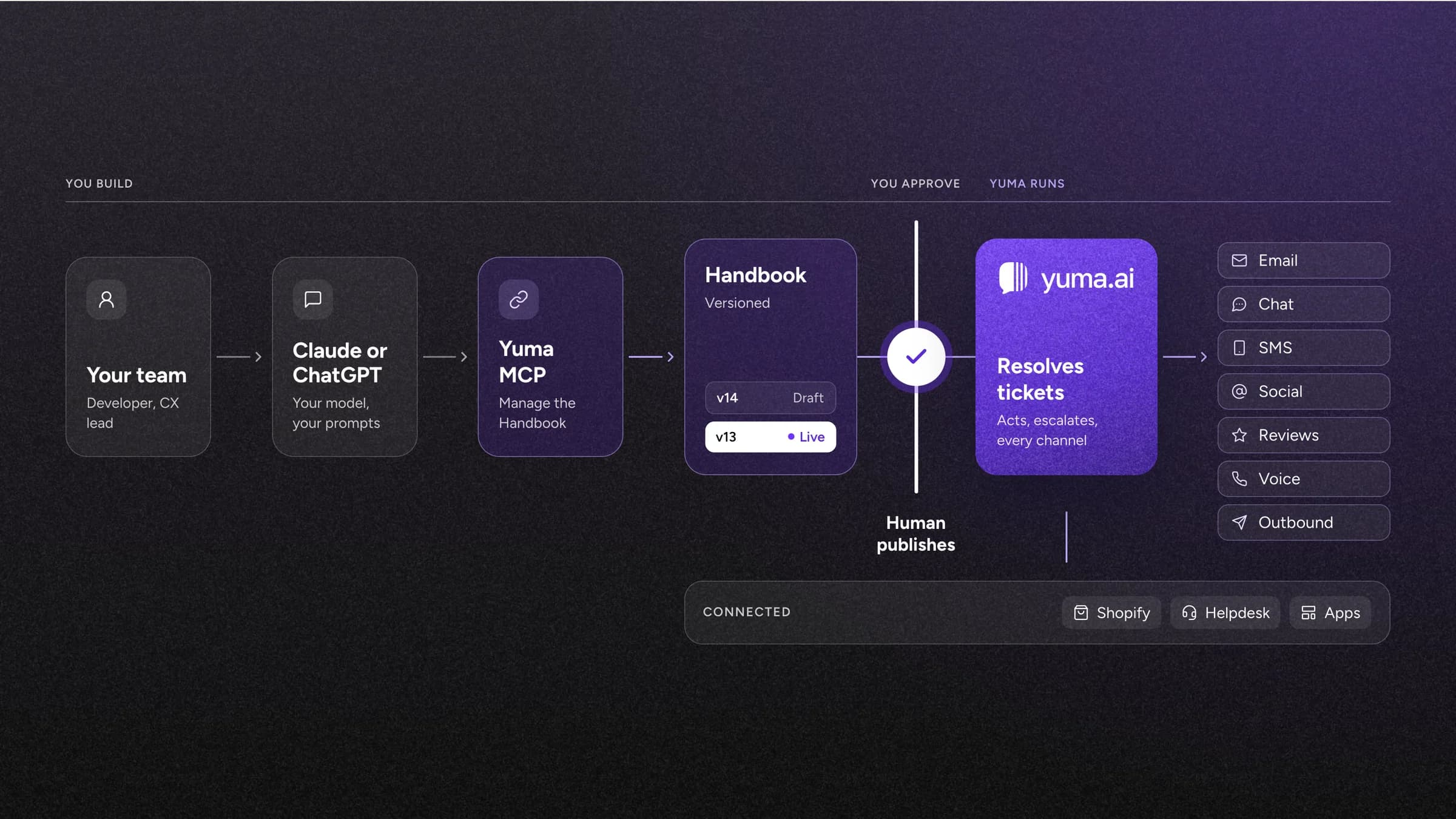
- Your teamDeveloper, CX lead
- Claude or ChatGPTYour model, your prompts
- Yuma MCPManage the Handbook
- The HandbookVersioned, every change starts as a draft
- A human publishesNothing goes live without it
- Yuma resolves ticketsActs and escalates on email, chat, SMS, social, reviews, voice and outbound
- Connected: Shopify, your helpdesk and apps
Proof
Brands that chose to run it instead of build it
 89%automationRead the story
 79%automationRead the story
 64%AI coverageRead the story
An honest answer
When building in-house is the right call
Sometimes building is the right answer. If support is your product, so the agent is the thing you sell, owning it end to end is worth the cost. If you have a dedicated AI team with nothing more valuable to work on, the opportunity cost drops. And if your workflows are so unusual that no platform covers them, building may be the only option.
For most Shopify brands, none of that is true. The agent is a means to faster, cheaper support, not the core business. That's where running Yuma, and building on top of it, wins. Comparing vendors instead? See how Yuma compares with Gorgias AI, Zendesk AI, Siena and others.
Before you decide
Five questions to answer before you greenlight an internal build
- 01
Who owns the agent in month 13, after the launch excitement is gone?
- 02
How will you test a policy change before it reaches customers?
- 03
Which actions will it take, and who signs off on the guardrails?
- 04
What happens on Black Friday at 10x volume?
- 05
What's the cost of six months of delay at your current ticket volume?
If any of these don't have a clear owner yet, run Yuma first. You can always build on top of it.
FAQ
Building an AI support agent: common questions
Can we build our own AI customer support agent with Claude or ChatGPT?
Yes. With Claude or GPT, the Shopify API and your helpdesk's API, a capable developer can have a prototype answering order-status questions in days. The hard part is everything after that: actions with guardrails, escalations, testing, every channel and peak-season load. That's the work that takes months.
How much does it cost to build an AI support agent in-house?
The prototype costs little. Running it in production usually takes at least one dedicated engineer, and senior AI engineers in the US average around $155K base before a 25 to 40% loaded cost, plus LLM, hosting and monitoring. The calculator on this page models your own numbers.
How long does it take to build a production-ready AI support agent?
A demo takes days. Production takes much longer: Gartner found AI projects take about 8 months on average to go from prototype to production, and fewer than half get there. An agent you trust on every ticket, with tested policies, safe actions and every channel covered, often takes longer. Brands on Yuma are typically live within a week.
Can we customize Yuma if we have our own developers?
Yes. The Handbook is readable and versioned, Ask Yuma drafts changes that a human publishes, and your team can manage it from Claude or ChatGPT through Yuma's MCP. Your developers shape how the agent behaves without owning the infrastructure underneath.
Does Yuma work with Gorgias, Zendesk and our other Shopify apps?
Yes. Yuma works inside the helpdesk you already use, including Gorgias, Zendesk, Kustomer, Salesforce Service Cloud, Re:amaze and Gladly, with no migration. It connects to Shopify and apps like Recharge and Loop Returns to take real actions.
What if we already started building?
Keep the work. The intents, policies and SOPs your team wrote become your Handbook: bring your docs and past tickets, and Ask Yuma turns them into Handbook pages.
Build vs buy
Put your developers back on the storefront.
Live within a week, priced per resolved ticket, backed by a 100% ROI guarantee.
