How to Reduce Support Tickets Without Sacrificing Customer Satisfaction
A prioritized six-step playbook for ecommerce support teams drowning in ticket volume: audit and score your ticket categories, eliminate the preventable ones, deflect to self-service, communicate proactively, automate what's left with AI, and close the loop with metrics.
1 / 8Step 1: Audit your tickets and prioritize by impact
Key takeaways
Audit the last 30 to 90 days of tickets and score each category by weekly volume and customer impact on a 2x2 grid.
Run each top category through four options: eliminate at the source, deflect to self-service, automate with AI, or keep human.
Proactive shipping updates, post-purchase flows and known-issue announcements stop tickets before customers file them.
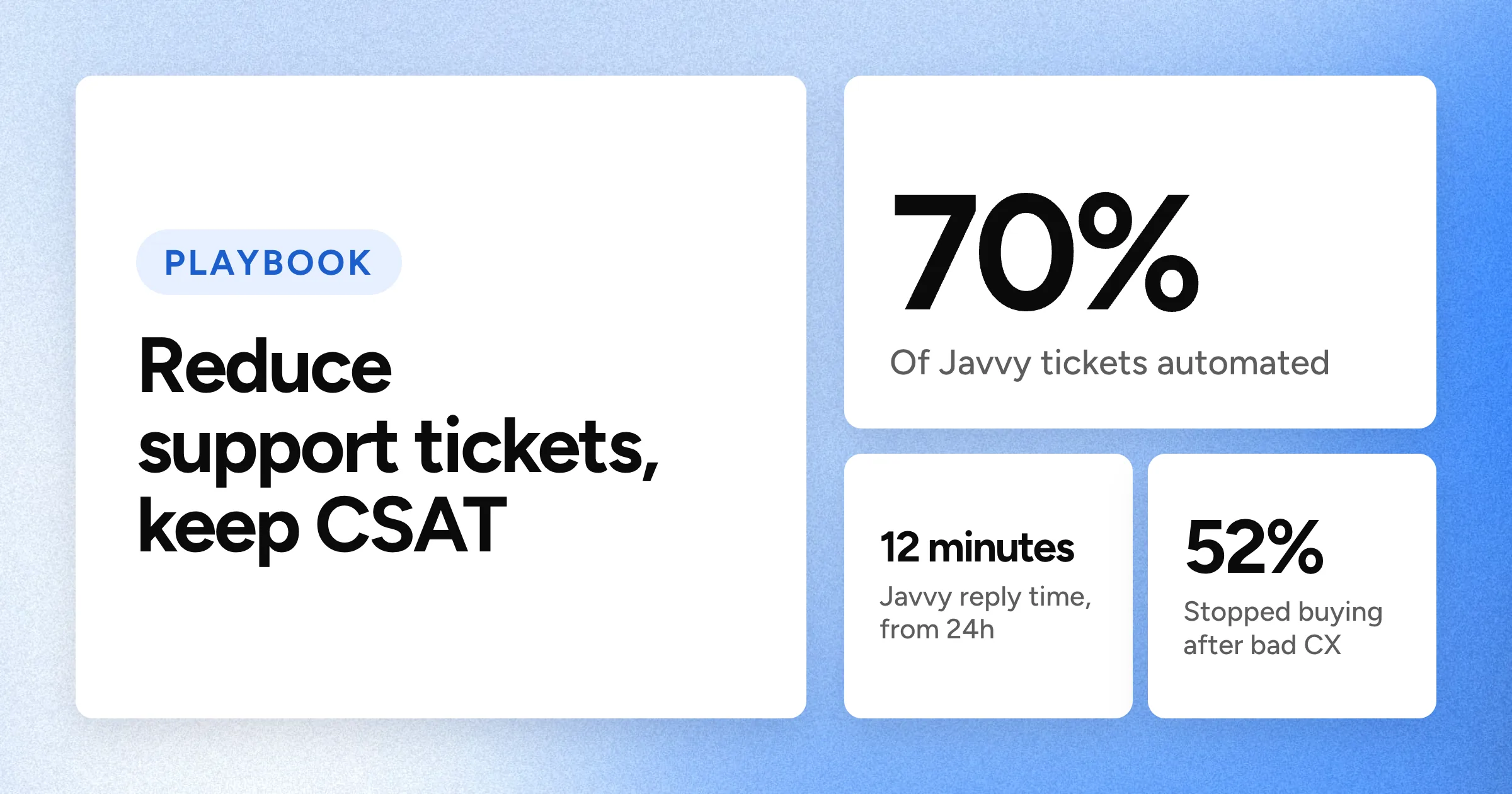
Javvy Coffee automated 70% of tickets with Yuma and cut response time from 24 hours to 12 minutes, with CSAT going up, not down.
Re-run the audit monthly or quarterly and send recurring ticket patterns to product and merchandising teams to fix upstream.
Your order volume doubled this year, and your ticket volume doubled with it. WISMO, returns, sizing questions, shipping complaints: it's all there. Meanwhile, your team is at capacity, response times are creeping up, and CSAT is starting to show it.
The standard advice is to build a knowledge base or add a chat widget. That can help, but it skips the fundamental question of which tickets you should actually be solving, and in what order. A knowledge base article about returns does nothing if the real problem is a misleading product page generating 40 sizing tickets a week.
This playbook works through six steps, starting with an audit that scores your ticket categories by volume and customer impact, then moving through each fix in the order that moves the needle fastest. The goal is prevention first. Answering tickets faster is useful, but eliminating the reasons they get filed is where the real leverage is.
See Yuma in action
Most ecommerce ticket volume comes from the same five categories. Yuma resolves them end to end inside Gorgias, Zendesk, Kustomer, or Re:amaze, with no re-platforming and no engineering lift.
Step 1: Audit your tickets and prioritize by impact
Before automating anything, you need to know what your tickets actually are and which ones are worth fixing first. Without this step, teams end up automating low-impact ticket types while the high-volume categories that are actually burying the queue go untouched.
Start by pulling the last 30 to 90 days of tickets from your helpdesk. Tag each one by category. For ecommerce, the usual suspects are WISMO and order status, returns and exchanges, sizing and product questions, shipping problems such as delays, lost packages, and wrong addresses, billing and payment issues, and account access. Count the volume per category and note the average handle time for each.
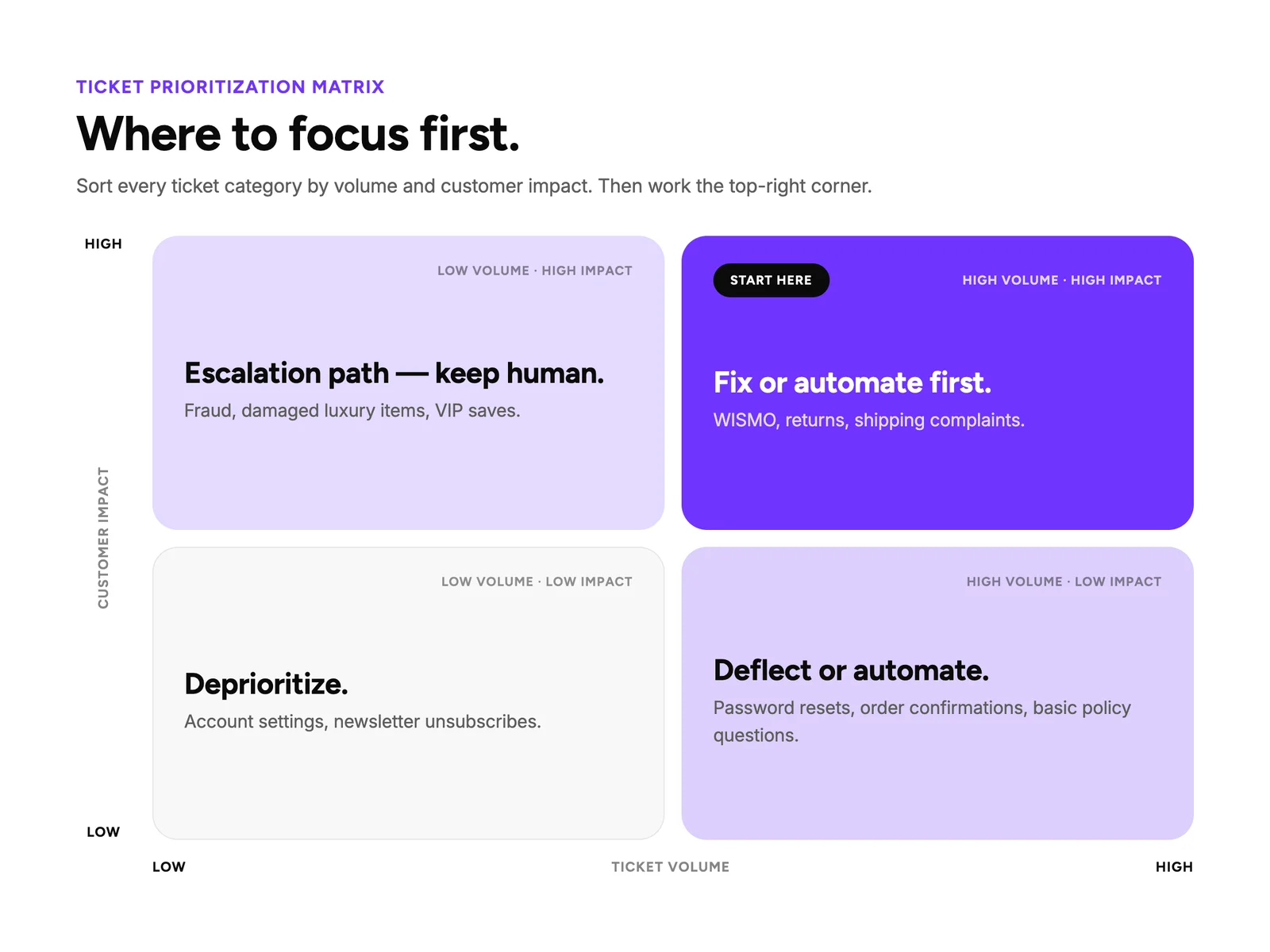
Once you have the raw numbers, score each category on two axes. The first is volume: how many tickets per week does this category generate? The second is customer impact: does this category correlate with repeat contacts, negative reviews, churn, or NPS detractors? Plot the results on a 2x2 grid.
High volume and high impact, such as WISMO, return complaints, and shipping issues, are your top priority. High volume and low impact, such as password resets and order confirmation questions, should be automated or deflected. Low volume and high impact, such as fraud cases, damaged luxury items, and VIP saves, need to stay human-handled with clear escalation paths. Low volume and low impact, such as account settings and newsletter unsubscribes, can be deprioritized.
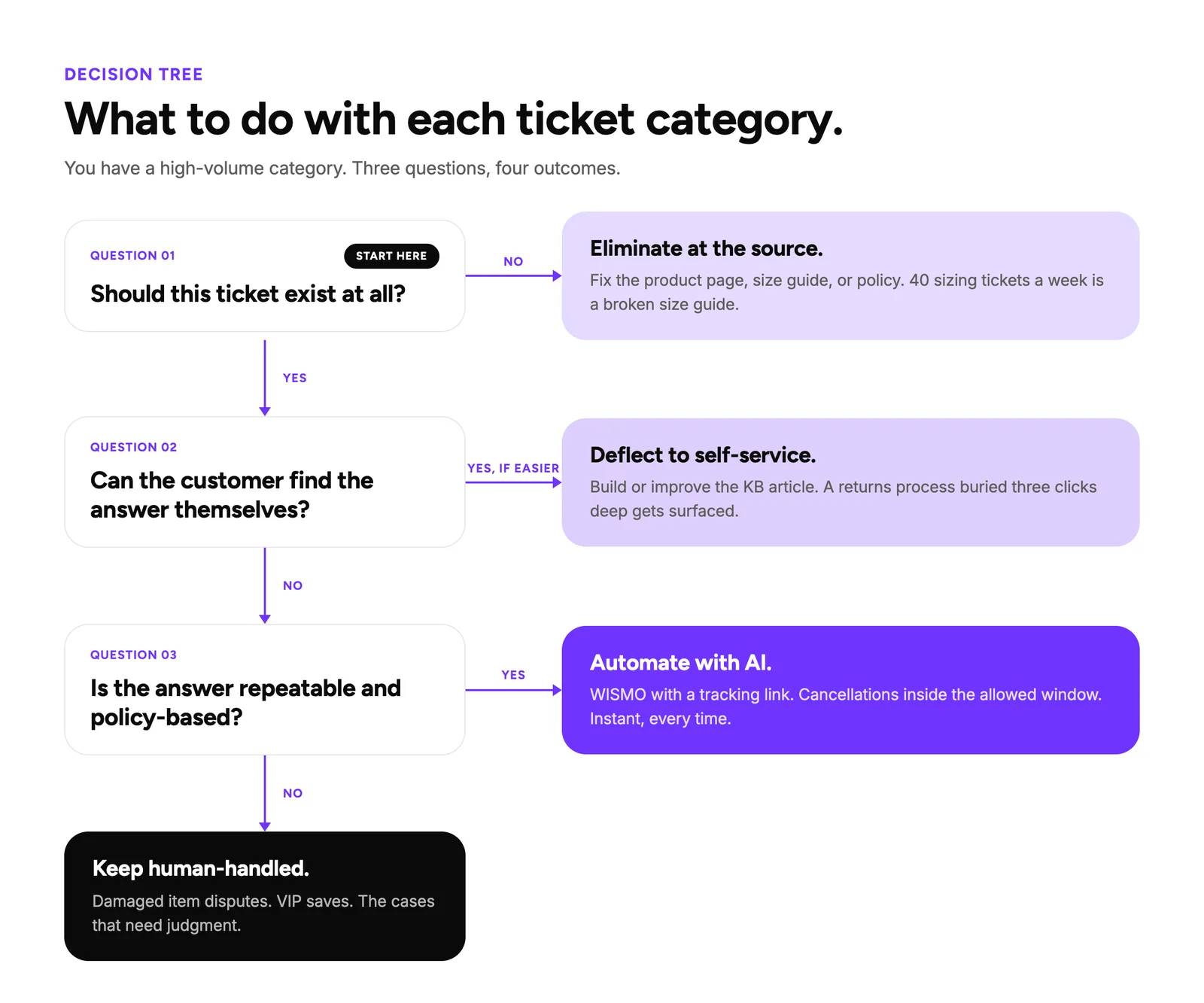
Once you have a ranked list of your top three to five categories, the next question is what to do with each one. Run every category through four options:
Eliminate at the source. Some tickets shouldn't exist. If 40 tickets a week ask about sizing for one product, the size guide is broken. Fix the product page, the checkout flow, or the shipping policy so the question never gets asked.
Deflect to self-service. The answer exists, but customers can't find it. Build or improve the knowledge base article, add it to your FAQ, or surface it higher in search results.
Automate with AI. The answer is repeatable and the customer just needs the information fast. WISMO with tracking links, return policy lookups, and order cancellations within the allowed window all fit here.
Keep human-handled. The issue requires judgment, empathy, or a policy exception. Damaged item disputes, VIP saves, and complex multi-order problems stay with your team.
Step 2: Build a self-service knowledge base that actually deflects tickets
Your knowledge base isn't doing you many favors if it doesn't work well enough to stop the ticket from being filed. Coverage can be less important than relevance, and articles that match how customers actually search and phrase their questions will deflect more volume than a comprehensive help center that nobody can navigate. Here's what to do:
Use the audit from Step 1 as your content roadmap. The top ticket categories tell you exactly which articles to write first. Don't start with a comprehensive documentation project. Start with the five topics generating the highest volume.
Structure articles around what customers actually type, not your internal categories. "How do I return an item?" works. "Returns Policy Overview" does not. "Where is my order?" works. "Shipping Information" does not.
Optimize search for how real customers write. That means accounting for synonyms like "send back" surfacing the returns article, common typos, and natural phrasing. If a customer can't find the answer in one search, they're filing a ticket.
Write in task-completion format. What the customer wants to do, the steps to do it, and the expected outcome. Keep it short, scannable, and mobile-friendly. Long policy documents don't deflect tickets because nobody reads them on their phone while waiting for a package.
Finally, keep in mind that the piece that keeps a knowledge base effective over time is governance. Assign an owner to each article, set a review cadence of at least once per quarter, and retire anything outdated. A stale knowledge base actively generates tickets when customers follow old instructions that no longer apply.
See Yuma in action
Want Yuma to run this playbook for you?
Turn this into a live playbook in your Handbook, tested before customers see it.
Step 3: Use proactive communication to prevent tickets before they're filed
According to PwC's 2025 Customer Experience Survey, 52% of consumers stopped buying from a brand because of a bad experience. The inverse is just as important, because the ticket will never get created if you tell customers what's happening before they need to ask.
These three proactive plays can have a high impact for ecommerce:
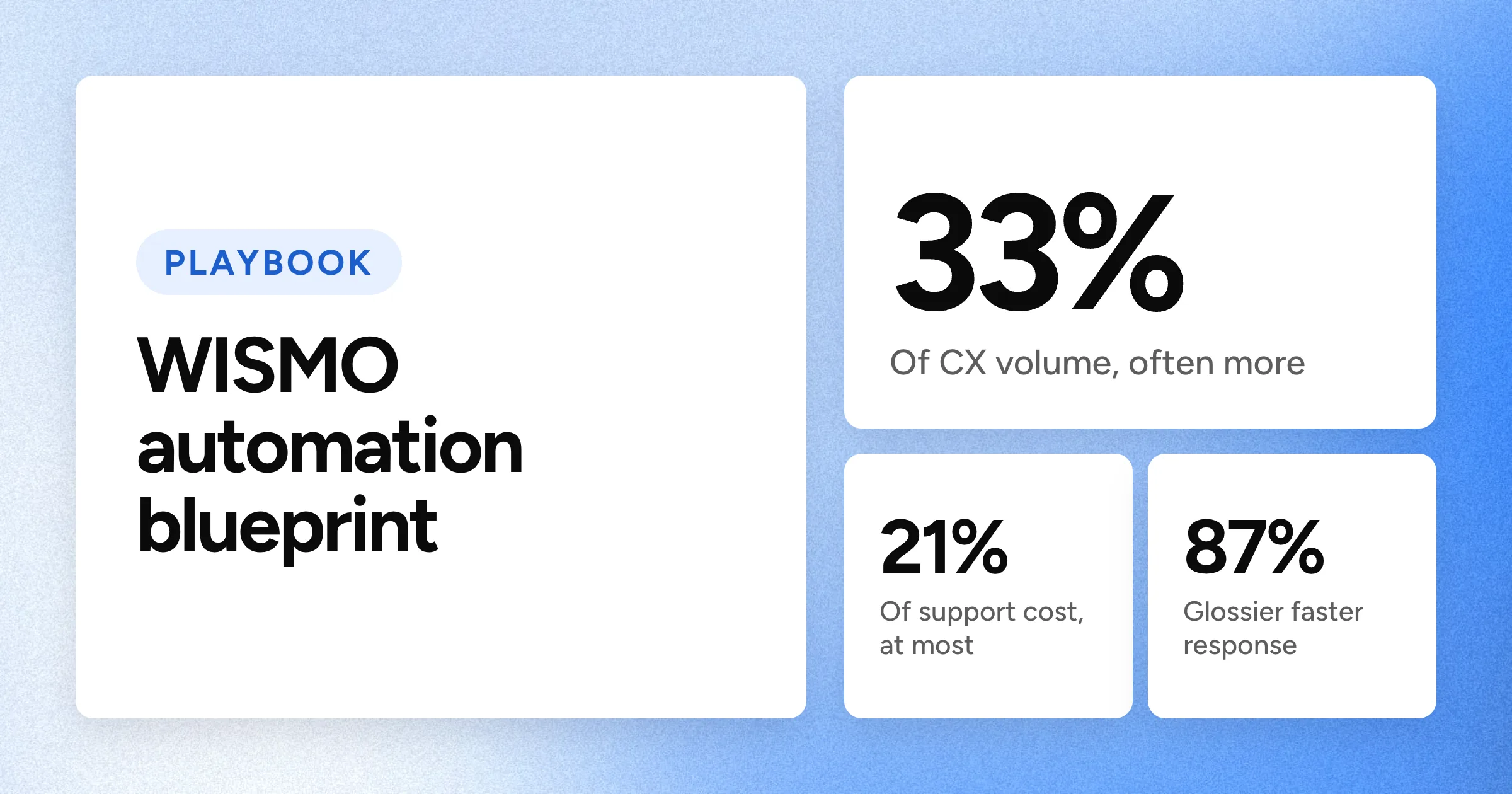
Shipping and order status updates. WISMO is one of the largest ticket categories in ecommerce support. Push tracking updates proactively through email and SMS so customers never need to ask. Include the tracking link, the carrier name, and the estimated delivery date. Brands that automate order status updates see immediate reductions in inbound volume. The WISMO automation blueprint walks through the full notification workflow from carrier integration to customer-facing updates.
Post-purchase flows. A proactive email or SMS sequence after purchase that answers common questions before the customer thinks to ask them, such as "when will it arrive," "how do I return it," or "how do I care for it." Every question you answer proactively is a ticket that doesn't get filed.
Known-issue announcements. When there's a shipping delay, a payment processor glitch, or a product recall, tell customers before they tell you. A banner on the site, an email blast, or an SMS costs far less than hundreds of identical tickets. This is especially critical during peak seasons like Black Friday and Cyber Monday (BFCM) and holiday shipping, when a single carrier delay can generate a surge of WISMO tickets in hours.
Pro tip: The audit from Step 1 tells you exactly where proactive communication will pay off. If WISMO is your top category, shipping notifications are your first move. If returns are second, a post-purchase flow explaining the return process preempts the question before it's asked.
Step 4: Automate the repetitive tickets with AI
The volume that can't be prevented and doesn't require a human to resolve is where AI earns its ROI. These are the repetitive, policy-based tickets that follow the same pattern every time, and they're the categories you marked as automation candidates in the decision tree from Step 1.
When someone requests a return, AI checks whether the item falls within the return window, processes it if eligible, and generates the return label. When a shopper asks about sizing or shipping policies, AI answers instantly from the knowledge base. These are tickets that follow predictable patterns and have clear, policy-based answers.
For tickets that do need a human, such as damaged items, partial refunds, or VIP retention saves, AI drafts a suggested response and routes to the right agent with the full conversation context attached. That cuts handle time even on tickets the AI can't fully resolve.
A common concern at this stage is whether customer service automation will hurt CSAT, but data shows that brands with the right tools and processes will see a CSAT improvement instead.
For example, Javvy Coffee automated 70% of their ticket volume with Yuma, cut response time from 24 hours to 12 minutes, and watched CSAT climb. Customers care about getting the right answer fast, and AI delivers that on repeatable ticket types more consistently than a human agent juggling a full queue.
"Going into this holiday season versus last year's, I had the peace of mind knowing that no matter what, the inbox was going to be fine."
Shannon White, Head of Customer Experience, Javvy Coffee
Step 5: Set up escalation paths
Even with self-service and automation covering a significant share of volume, some tickets need a human. The risk is that a straightforward exchange request gets bounced to a senior agent because nobody defined who handles what. Unnecessary escalations add handle time and create bottlenecks at the next tier.
Use the decision tree from Step 1 to set clear tiers. For ecommerce, your structure might look like this:
L1 (frontline, AI-assisted): Returns within policy, order edits, basic product questions, subscription changes. Agents have macros, internal knowledge base access, and AI-suggested responses to resolve quickly.
L2 (experienced agents): Damaged goods, partial refunds, shipping claims with carriers, discount disputes. These require judgment and sometimes a policy exception.
The most impactful change at this stage is giving L1 agents the authority and tooling to resolve without escalating. If an agent needs a manager's approval to process a standard return, that's a process problem creating unnecessary ticket volume at the next tier.
Finally, set up skill-based routing so tickets land with the right person on the first pass instead of bouncing through two transfers. Common AI customer service implementation mistakes often happen when teams add automation on top of unclear escalation logic, which compounds the problem rather than solving it.
Step 6: Close the loop with feedback and metrics
Ticket reduction is an ongoing process. Sustaining results requires a feedback loop between your support data and your product, content, and operations teams.
Track ticket volume by category, deflection rate, first-contact resolution, CSAT, and cost per ticket. Total volume can drop while one category spikes, so the breakdown is critical to account for. Key metrics for CX AI covers how to benchmark each of these.
Tickets that keep coming back despite self-service and automation are product or UX problems. If returns spike after a product launch, the product page is misleading. Feed these patterns into your product or merchandising team so the fix happens upstream.
Re-run the Step 1 audit monthly or quarterly as your ticket mix shifts to see if there are ways to optimize your customer service workflows. For example, CX teams already seeing benefits of AI in customer support may be using those gains to reinvest agent time into higher-value conversations based on what their data shows.
Start with the audit, then automate what's left
Salesforce predicts that 50% of service cases will be resolved by AI by 2027, and that's just the start. Looking further into the future, Gartner predicts that by 2029, agentic AI will autonomously resolve 80% of common customer service issues without human intervention, leading to a 30% reduction in operational costs. Gartner specifically distinguishes agentic AI that resolves service requests from traditional AI that assists with information. Now, there's a growing gap between customer service automation software that closes tickets and software that simply drafts replies on command. Tools that can resolve common questions instantly with zero human agent time are where the ROI lives.
The prioritization matrix and decision tree from Step 1 give you the roadmap. Yuma handles what lands in the "automate with AI" bucket by resolving tickets end to end, not drafting replies for your team to review. It follows a written Handbook: Ask Yuma turns your SOPs into playbooks, every playbook carries its own tests, and each one rolls out gradually with limits on refunds and sensitive actions. Anything the Handbook doesn't cover gets handed to your team with full context attached.
Yuma can autonomously handle:
WISMO and order status lookups with tracking links included
Returns and exchanges within your policy window, including label generation
Order cancellations and edits
Subscription pauses, skips, and changes
Sizing and product questions answered from your Handbook and product catalog
Refunds to original payment method or store credit
It runs inside your existing helpdesk and connects to Shopify, Recharge, Loop, and 170+ other tools, with no re-platforming required. And since you only pay when Yuma's AI actually resolves a ticket, you can be confident that you're seeing a solid ROI.
If you want to benchmark where your operation stands before starting, Yuma offers a free CX audit that identifies your highest-impact automation opportunities. Getting the most out of any AI for customer support tool starts with knowing which tickets to point it at.
See Yuma in action
You've got the audit framework and the decision tree. Yuma handles what lands in the "automate with AI" bucket (WISMO, returns, sizing, cancellations) inside your existing helpdesk. Most brands are live within a week. You only pay for tickets the AI fully resolves.
Frequently asked questions about reducing support tickets
How long does it take to see results from a ticket reduction strategy?
Proactive communication, such as shipping notifications and known-issue announcements, can reduce WISMO volume fairly quickly. Self-service improvements take a few weeks as customers discover updated articles. With AI, most brands are live with Yuma within a week, and each playbook rolls out gradually once its tests pass, so automation grows as results hold.
Can small ecommerce brands reduce ticket volume without AI?
Yes. The first three steps of this playbook (auditing, self-service, proactive communication) require no AI and can meaningfully cut volume on their own. AI becomes a stronger investment at scale, where per-resolution pricing from AI customer service software starts to pay for itself.
How do you reduce support tickets during BFCM and peak seasons?
Prepare before the surge. Update your knowledge base with holiday-specific content like shipping cutoffs, gift return policies, and extended processing times. Set up proactive shipping notifications so WISMO doesn't spike with every carrier delay. If you're using AI, test it against peak-season ticket types in advance.
What types of ecommerce support tickets are easiest to automate?
Tickets with repeatable patterns and policy-based answers. WISMO is typically first because it's high volume and the resolution requires no judgment. You just need to pull the tracking link, send it, and close the ticket. Returns within policy, order cancellations, subscription pauses and skips, and catalog-based product questions are strong second-tier candidates.