Yuma AI Launches Web Actions: Support AI That Works in a Real Browser, No API Required
Yuma can now drive a real Chrome browser to finish a task on any website your team can reach: carrier portals, 3PL dashboards, internal back-office tools. No API, no integration work, no cooperation from the vendor.
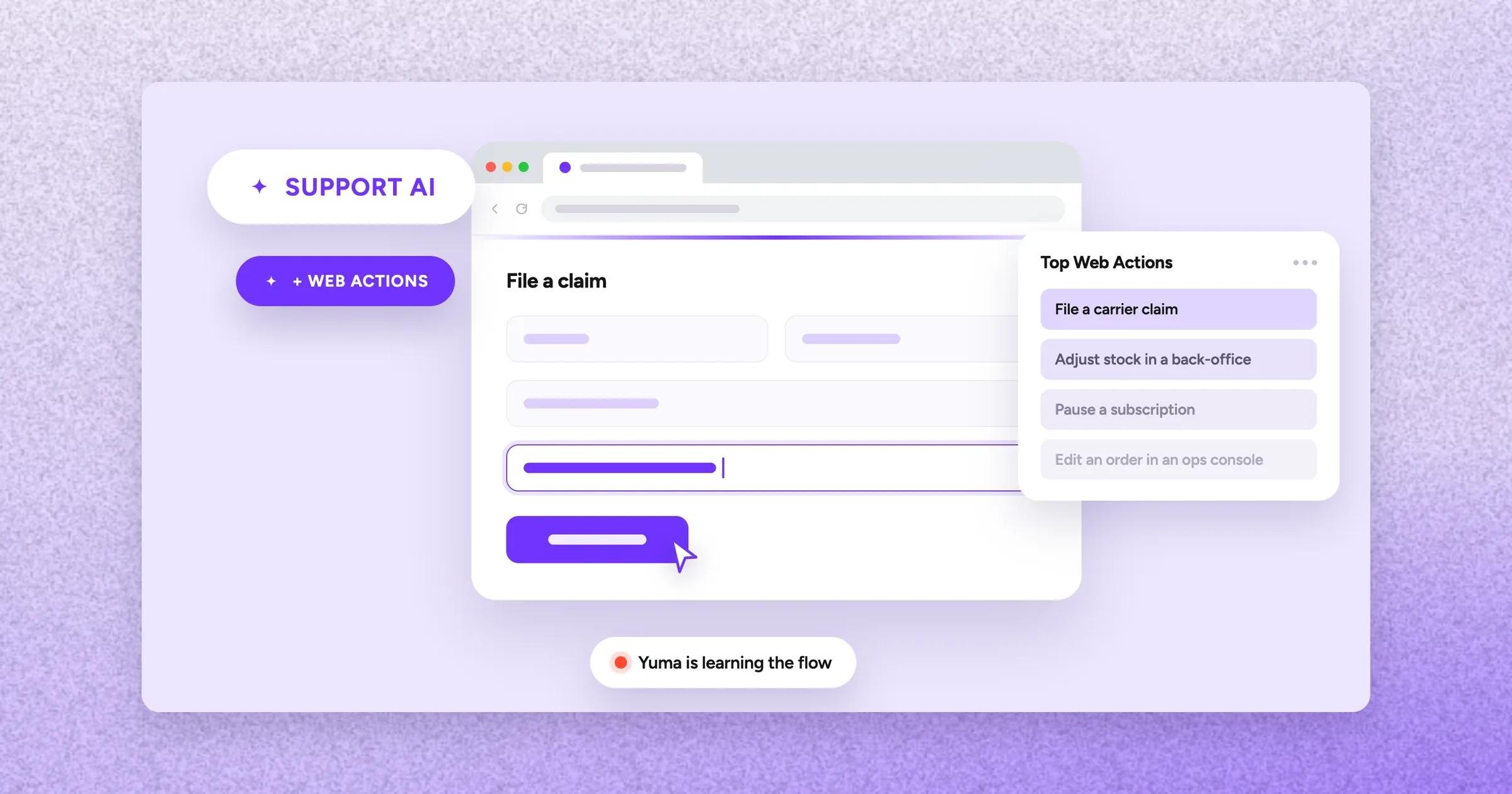
Web Actions let Yuma drive a real Chrome browser to finish tasks on sites with no API, in the middle of resolving a ticket.
Early uses include filing carrier claims, adjusting stock in back-office tools and pausing subscriptions with the right reason code.
Setup needs no code: describe the job and record yourself doing it once, or provide a written procedure as a PDF.
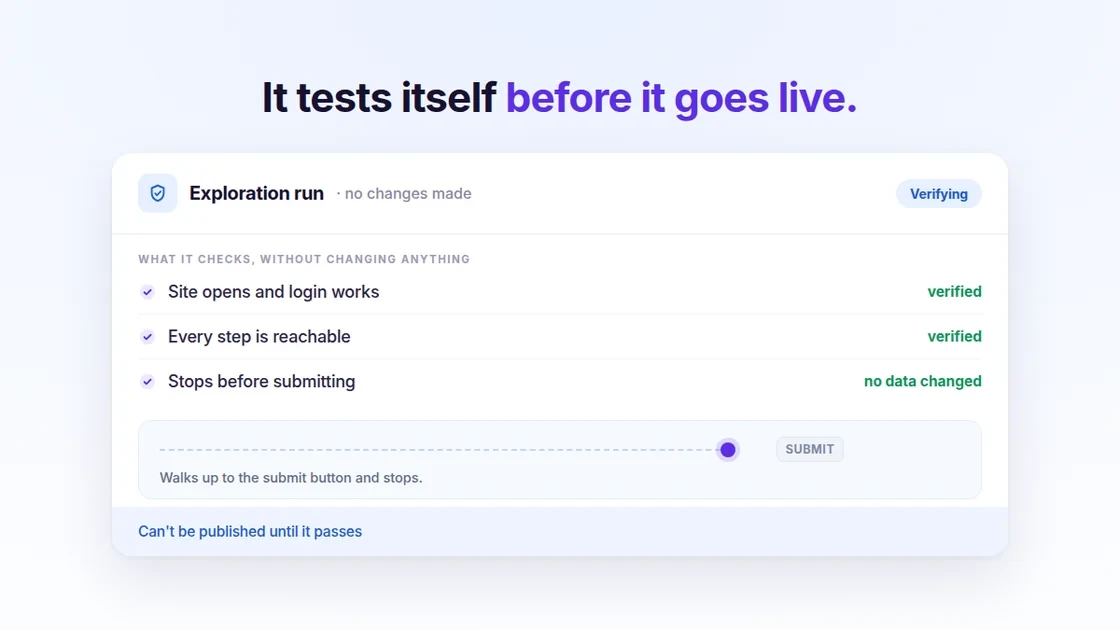
Before going live, Yuma test-runs each action up to the submit button without creating, changing or sending anything.
Logins are stored as encrypted credentials, and every run is logged step by step with screenshots linked to the ticket.
Web Actions let Yuma drive a real Chrome browser to complete a task on any website your team can reach, as part of resolving a support ticket.
Not an API. An actual browser, driven the way one of your agents would drive it.
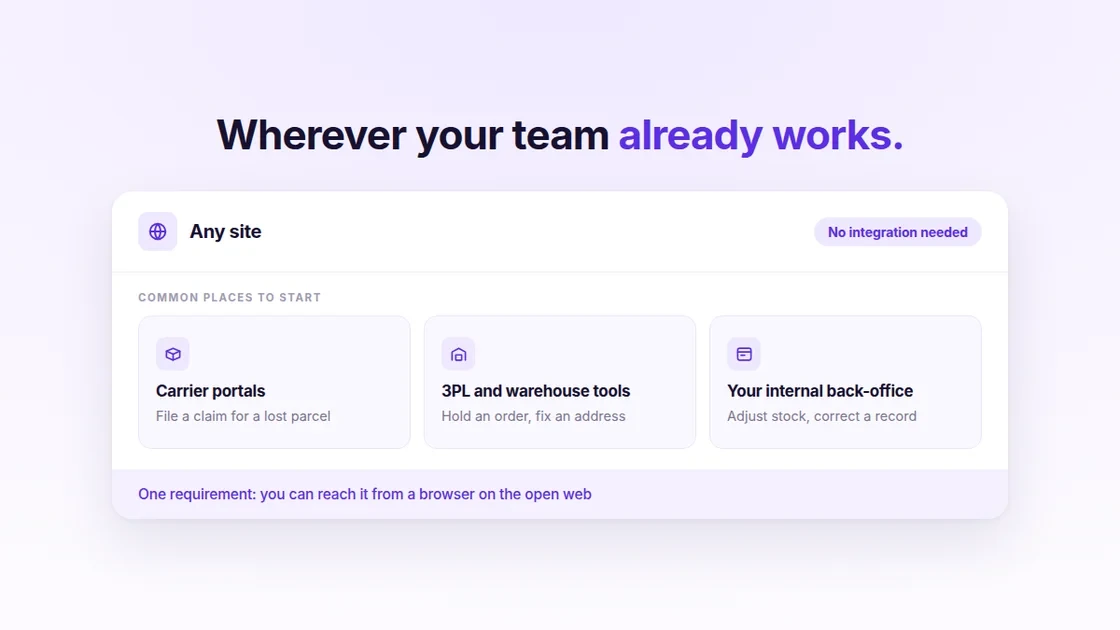
So the work that never had an integration, the carrier portal, the 3PL dashboard, the internal back-office nobody ever built an API for, is now something Yuma can just do, as long as it's reachable from a browser on the open web.
Here's what they do, how you set one up, and how Yuma checks its own work before anything goes live.
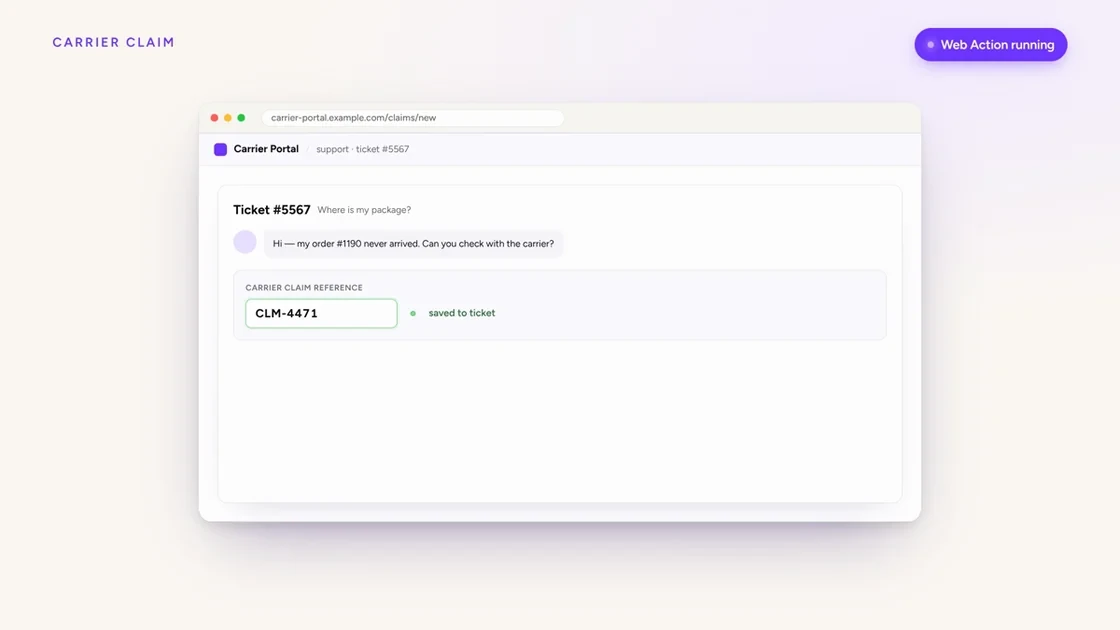
A Web Action end to end: Yuma opens the site, signs in, fills the form and submits, in the middle of a ticket.
The work that never had an integration
Some support work isn't a conversation. It's data entry.
Someone logs into a carrier portal, types in a tracking number, an order value and a reason, attaches the proof, works through three pages and submits. Then they go back to the ticket and tell the customer it's done.
That whole middle part has been out of reach for automation, and not because it's hard. Because there was no API to call, and no realistic prospect of one. You're not going to get a legacy carrier portal or your own internal tool to ship an integration on your timeline.
So it stayed manual. And it stayed one of the slowest, most escalation-prone parts of the queue.
Yuma can now do it itself, in the middle of handling a ticket. It opens the site, signs in, reads what it needs from the order, fills the form, attaches a file from the conversation, submits, and reports back what happened.
Three things it's already doing
Files a carrier claim
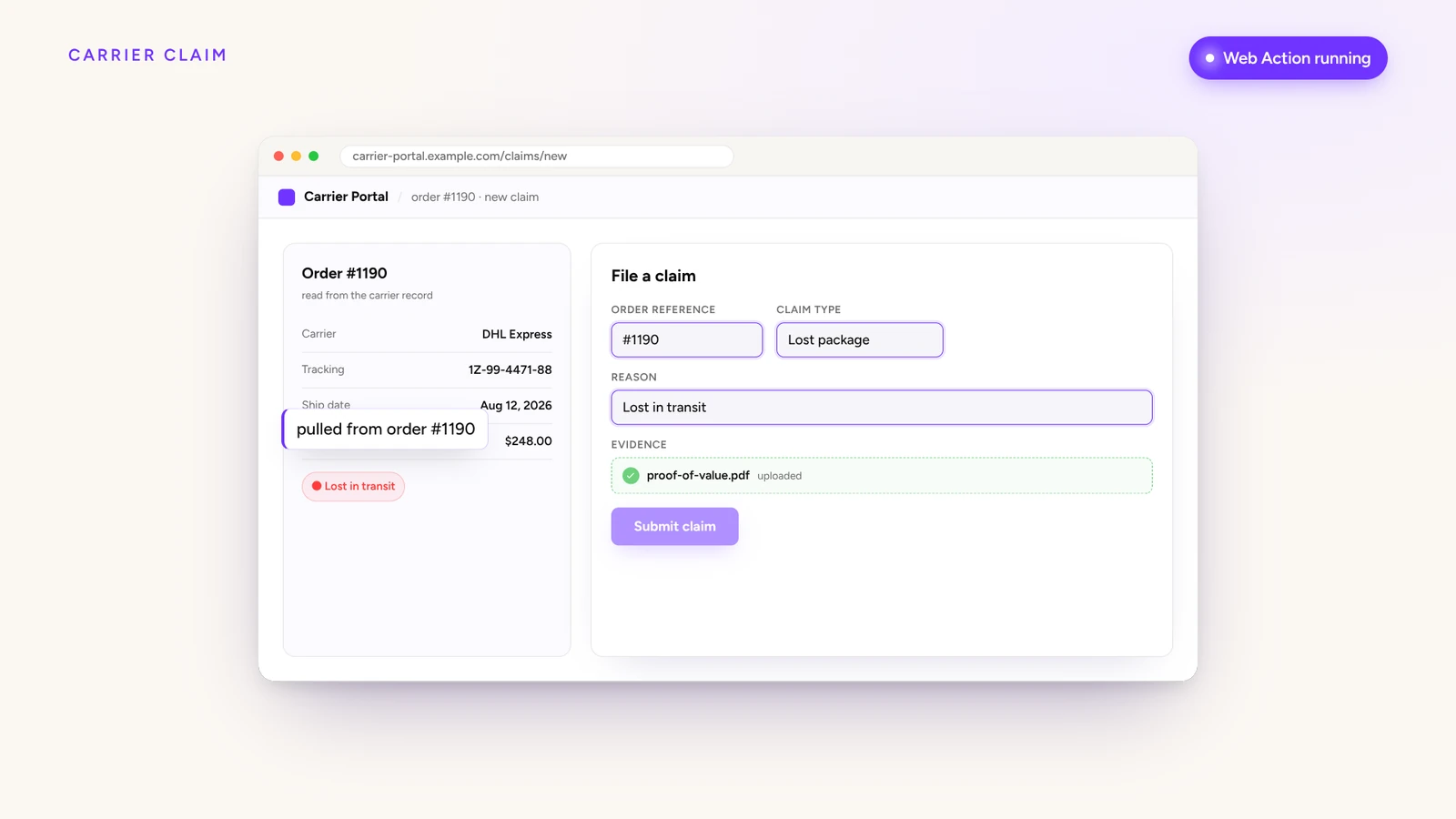
Opens the portal, pulls the order value and tracking number from the order, attaches the proof, submits, and writes the claim reference back to the ticket. It's the manual half of the WISMO workflow that automation has never been able to reach.
Adjusts stock in your back-office
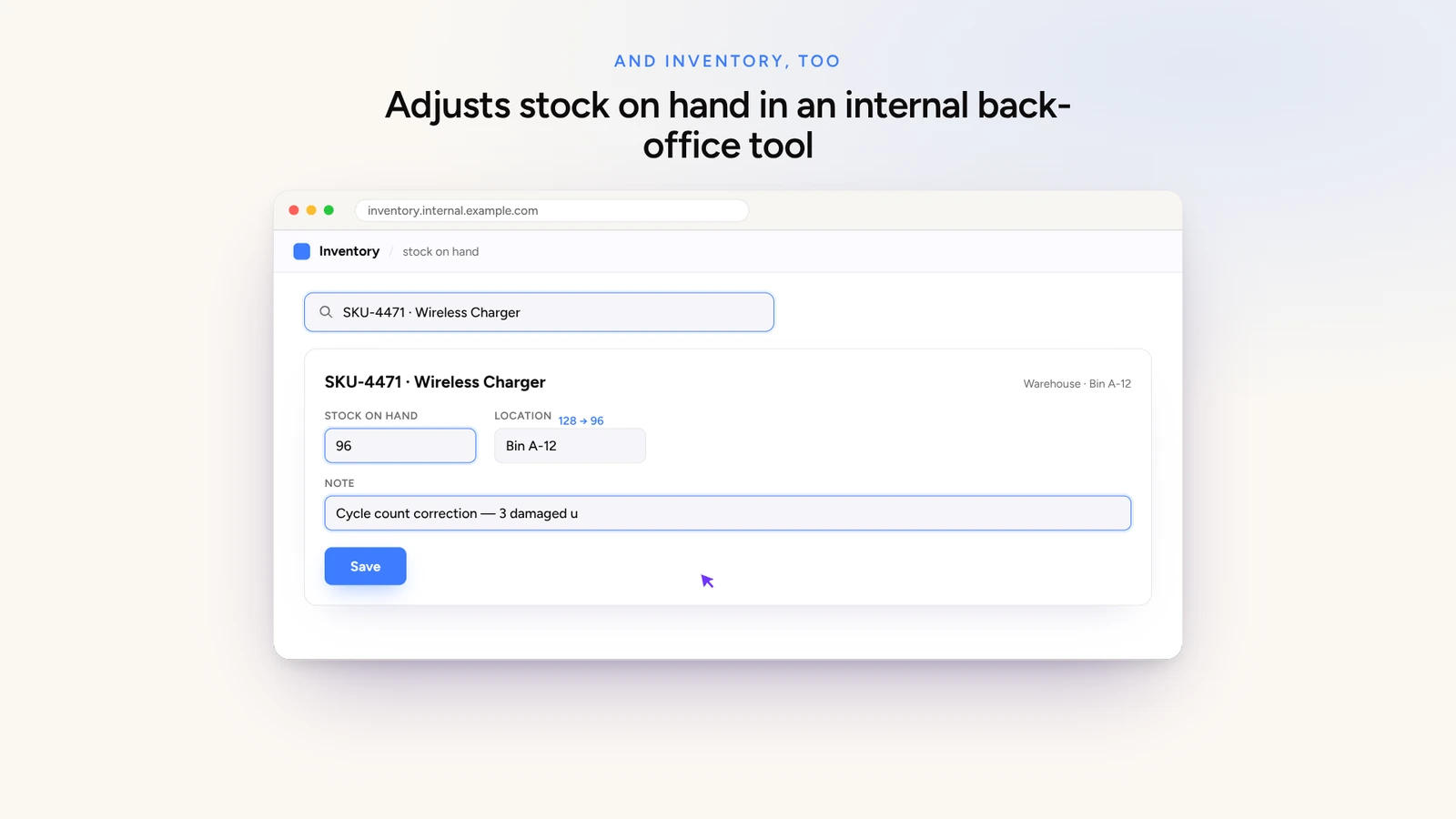
Finds the SKU in an internal tool that never had an API, corrects the count, saves the change. The tool just has to be reachable from a browser on the open web, without a VPN.
Handles what the API won't
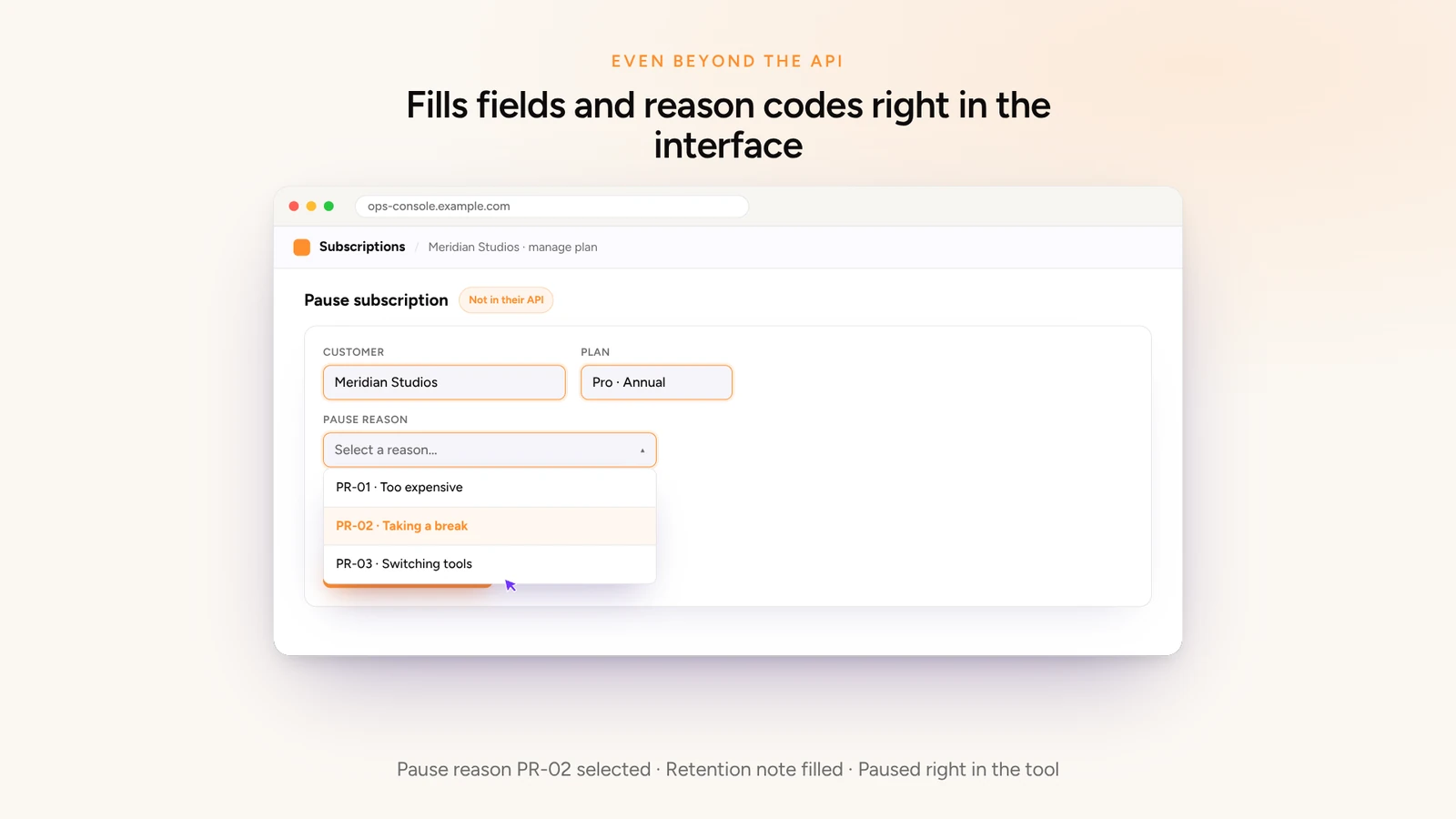
Pauses a subscription with the right reason code and a retention note, right in the interface.
Record it once, that's the setup
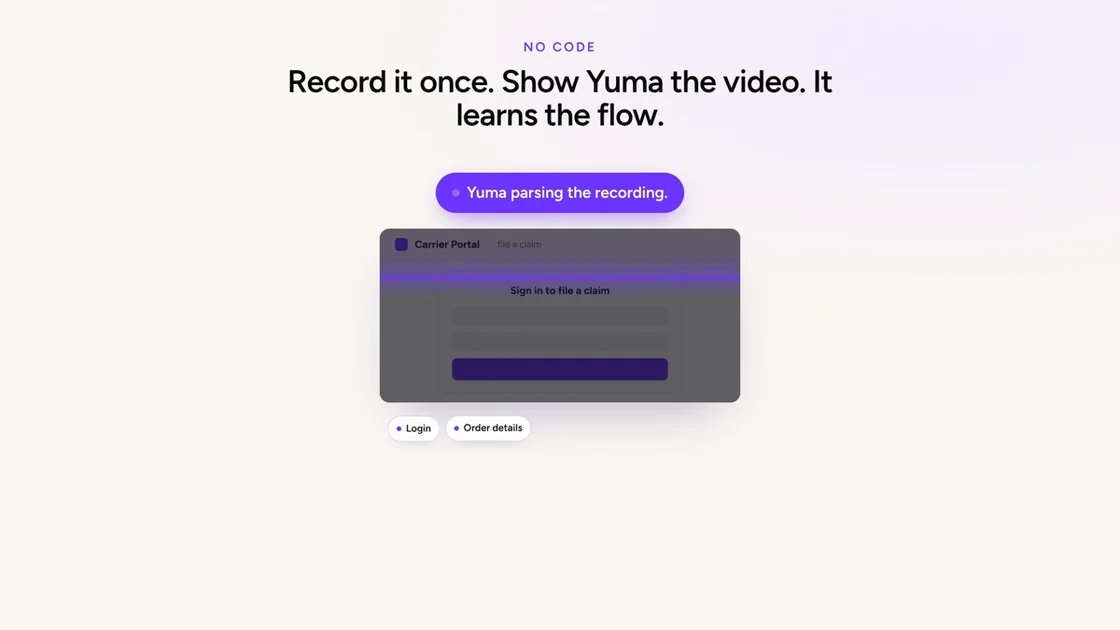
You don't script a Web Action. You describe the job, record yourself doing it once, and hand Yuma the video.
Yuma reads it and works out the steps, which values change on every run, and what it should report back when it's done. Then you read through what it came up with and change anything that isn't right.
No code, no selectors, no engineer. If a recording isn't practical, a written procedure as a PDF works too.
See Yuma in action
See it live
Book a walkthrough of what's new, on your own setup.
Before a Web Action can touch a real ticket, Yuma runs it once as a test.
It checks the site opens, the login works and every step is reachable, then walks all the way up to the submit button and deliberately stops there. Nothing is created, changed or sent.
If something blocks it, Yuma tells you exactly what: a login that failed, a page that didn't load, a step it couldn't find.
The action stays a draft until it passes. So nothing half-configured ever runs on a customer's ticket.
Your logins stay separate
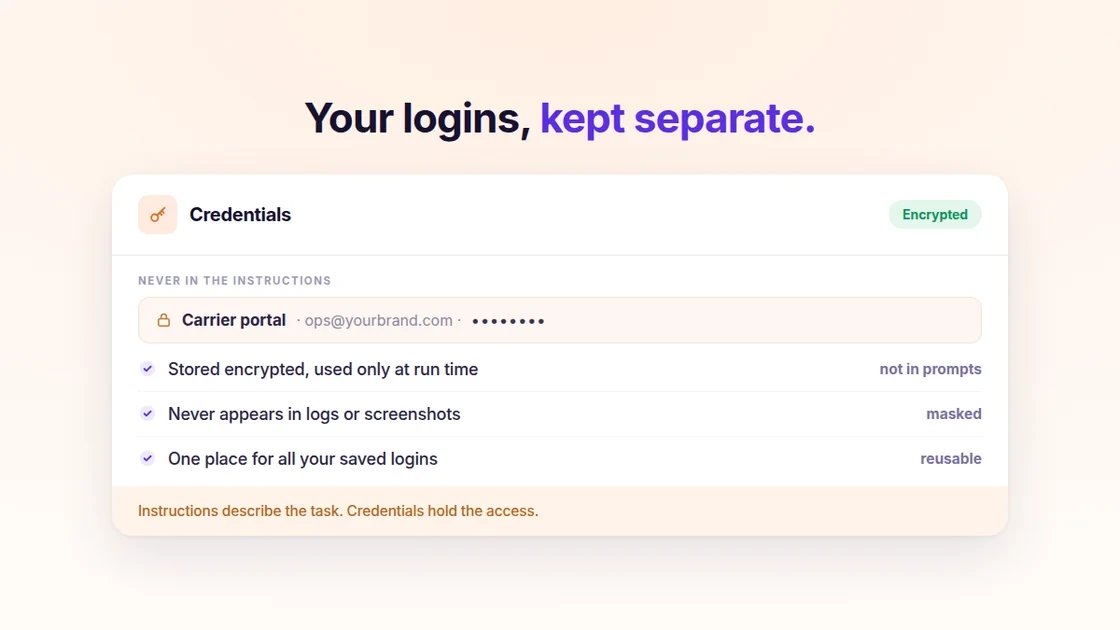
Sign-in details never go in the instructions. They're saved once as a credential, encrypted, and used only at the moment the action runs.
They don't appear in prompts, logs or screenshots. Instructions describe the task. Credentials hold the access.
Sites that send a verification code by email work too, so email-based two-factor isn't a blocker. That one needs a hand from our team to set up, so mention it to your account manager.
Every run, step by step
Every run keeps a full record: each step in order, whether it worked, a screenshot of the page at that moment, and which steps needed AI to work something out.
Runs link back to the conversation that triggered them, and the conversation itself shows what the action did.
So when you want to know what happened on a particular ticket, you can look rather than guess. That matters more here than anywhere else in the product. An action that writes to a carrier portal or your inventory is one you'll want a paper trail for.
Where this works, and where it doesn't
There's no integration to wait for and no cooperation needed from the vendor. If your team can do it on a website, it's a candidate.
The three places most teams start: carrier portals, 3PL and warehouse tools, and internal back-office systems.
One practical limit: the tool has to be reachable from a browser on the open web. Anything on-premise or behind a VPN is out of scope for now.
Getting your first Web Action set up
Already with Yuma? Tell your account manager which task you'd like automated, and have a screen recording ready. Easiest is to record yourself doing it on a real example, in a private window, from the login page through to the confirmation screen. A written procedure as a PDF works too.
Not with Yuma yet? Book a demo and bring the task nobody's been able to automate. That's the one worth talking about.
BOSTON, September 2, 2026.Yuma AI, the AI agent platform for ecommerce customer support, today announced Web Actions, a capability that lets Yuma complete tasks in a real Chrome browser on any website reachable from the open web, as part of resolving a support ticket. Web Actions require no API, no integration work and no cooperation from the target tool's vendor.
Merchants configure a Web Action by describing the task and providing a screen recording of it being performed once. Yuma parses the recording into steps, identifies which values vary per run, and validates the action in a read-only exploration run before it can be published.
About Yuma AI
Yuma AI is an AI customer service platform built for ecommerce brands. Its agents resolve support tickets end-to-end by connecting to helpdesks including Gorgias, Zendesk, Kustomer, Gladly and Salesforce Service Cloud, and taking real actions across Shopify and the rest of the merchant's stack, the way a human agent would. Yuma AI is backed by Y Combinator. Learn more at yuma.ai.
Yes. Web Actions let Yuma drive a real Chrome browser to complete tasks in tools with no API, or a limited one: filing a carrier claim, correcting stock in an internal back-office, pausing a subscription with the right reason code. You set one up by recording yourself doing the task once. The tool needs to be reachable on the open web; on-premise and VPN-only systems aren't supported.
Is Web Actions just RPA?
No. RPA records one click-path with one way to find each element, and breaks when the page changes. Yuma learns the task once with AI, then replays it quickly and cheaply, with several ways to find each element. If a step still fails, an AI agent picks up from that step and finishes the job. Setup is a screen recording, not a scripting project.
How does Yuma handle logins for Web Actions?
Sign-in details are saved once as a credential, encrypted, and used only at the moment the action runs. They never appear in prompts, logs or screenshots. Each Web Action is locked to the domains you declare, on every navigation, redirect, pop-up and embedded frame, and private network addresses are blocked outright.
Does it work behind a VPN?
No. The tool has to be reachable from a browser on the open web. On-premise systems, VPN-only tools and IP-allowlisted systems are out of scope by design. A quick check: if you can reach it from a browser outside the office, without a VPN, it's a candidate for a Web Action.