Best Gorgias alternatives for ecommerce teams in 2026
Seven Gorgias alternatives for ecommerce teams, split into AI overlays that install inside Gorgias and full platform replacements, compared by integration, best fit, and pricing.
1 / 8Signs it might be time to evaluate Gorgias alternatives
Key takeaways
Gorgias bills by ticket volume for the helpdesk and charges separately per AI resolution, so some teams replace just the AI layer while keeping Gorgias and others switch platforms entirely.
The seven alternatives split into two AI overlays that install inside Gorgias (Yuma and Siena) and five full platform replacements (Kustomer, Re:amaze, Zendesk, Help Scout, and Freshdesk).
Keep Gorgias and swap the AI when the AI layer is the friction; switch platforms when ticket-based pricing, seat caps, or reporting limits are the real bottleneck.
When switching, check that the pricing structure, Shopify actions, and macro migration match or exceed what Gorgias already does, since those gaps cost customers during a migration.
Gorgias is a Shopify-native helpdesk that bills by ticket volume. Its AI Agent bills separately per resolution. As volume grows, both bills grow with it, so some teams replace the AI layer and keep Gorgias, while others switch platforms entirely.
If you're considering a Gorgias alternative either in its entirety or just for that increasingly valuable agentic AI layer, we've got the best options for you to consider.
Signs it might be time to evaluate Gorgias alternatives
Gorgias is built for Shopify support, with a Shopify sidebar, macros, and a rules engine. Four patterns may push some teams to look at what else is out there.
Your costs are scaling faster than your revenue
Gorgias bills by ticket volume for the helpdesk, and the AI Agent adds a separate per-resolution charge on top. That can compound during growth spurts and seasonal peaks. According to Eightx, ecommerce stores receive 200 to 500 tickets per 1,000 orders, with up to 30% being WISMO alone.
Your AI is drafting replies instead of resolving tickets
There's a difference between an AI that suggests a response for a person on your team to review and one that processes the refund, generates the label, and closes the ticket autonomously. If your team is still approving most AI-drafted replies manually, the time savings may not match what you expected.
You're outgrowing your plan's limits
Seat caps, ticket allowances, and add-on pricing tiers can force upgrades before the team is ready. If you're bumping into plan constraints more often than feature gaps, the pricing structure might be the issue rather than the product itself.
Your reporting isn't keeping up with your questions
Resolution time by ticket type, CSAT by channel, cost per resolution by category. If you're exporting data to spreadsheets to answer those questions, the native reporting has a ceiling. For example, you should be able to answer:
What's your resolution time by ticket type?
What does CSAT look like by channel?
What's your cost per resolution by category?
None of these are reasons to leave Gorgias on their own, but if two or three are showing up at the same time, it's worth seeing what the alternatives look like.
7 Gorgias alternatives for ecommerce teams
Below is a breakdown of seven Gorgias alternatives, categorized by how they integrate with your current setup: two AI overlays that work inside Gorgias (allowing you to retain your helpdesk) and five full platform replacements for brands looking for a complete switch.
Tool
Category
Best for
Pricing model
Yuma
AI overlay (works inside Gorgias)
Ecommerce teams keeping Gorgias or switching to Zendesk/Kustomer
Outcome-based
Siena AI
AI overlay (works inside Gorgias)
Ecommerce brands prioritizing brand voice
Base fee + per-ticket
Kustomer
Full platform (ecommerce CRM-style)
Teams wanting a unified customer timeline
Per-seat
Re:amaze
Full platform (ecommerce multi-brand)
Multi-brand teams on Shopify + BigCommerce
Per-user
Zendesk
Full platform (enterprise)
Teams scaling beyond ecommerce-only
Per-agent + add-ons
Help Scout
Full platform (small team)
Small teams that want a simple shared inbox
Free tier, then per-user
Freshdesk
Full platform (lower entry price)
Mid-market teams with a lower starting budget
Per-agent
Option 1: AI overlay (keep Gorgias, replace the AI)
If Gorgias works as your helpdesk but the AI isn't resolving ecommerce tickets autonomously, an overlay installs on top and resolves tickets while your team stays in the same workspace. This can be the path with the lowest migration cost since you're adding a new tool onto your existing platform instead of switching altogether.
Yuma
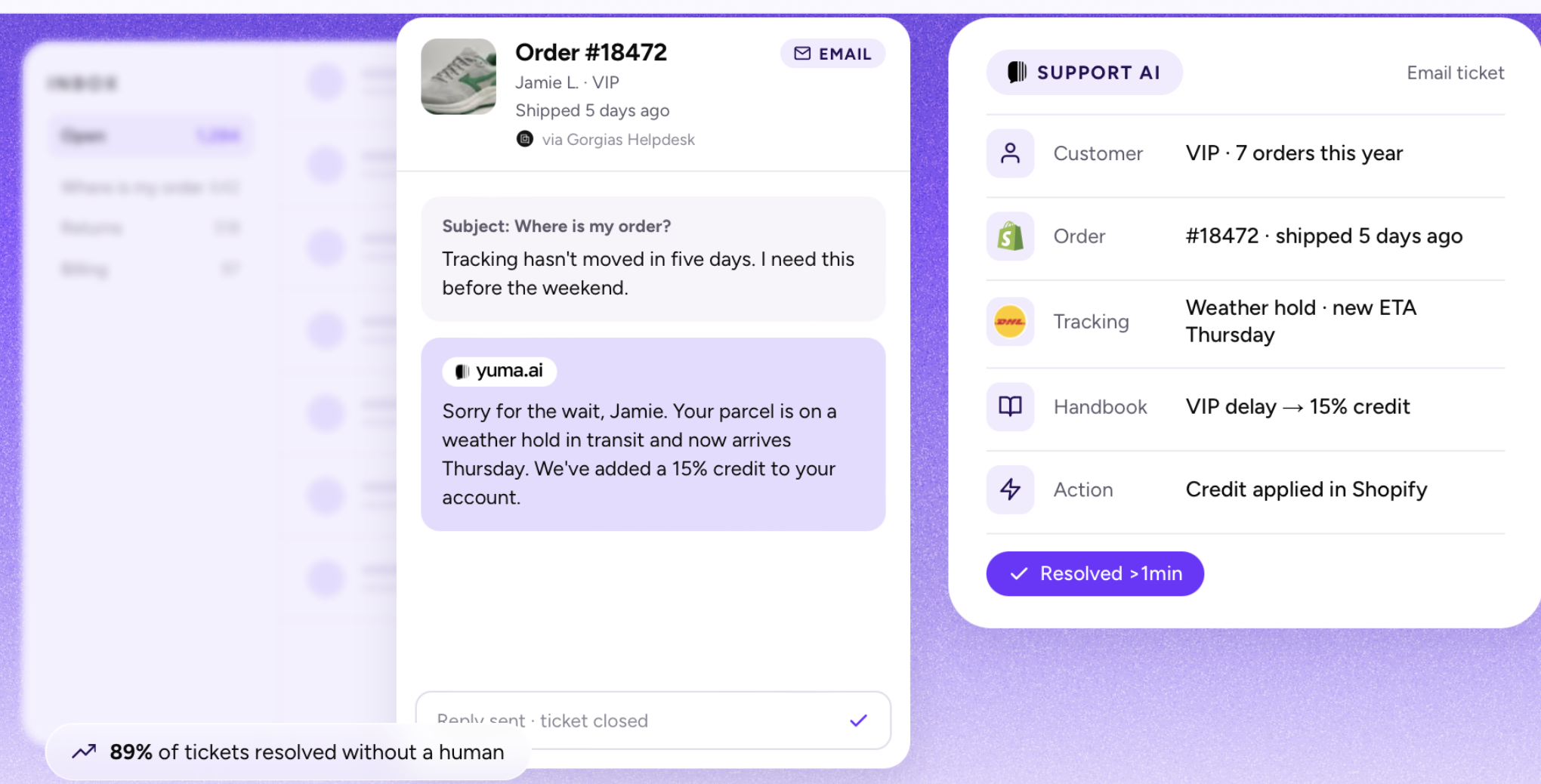
Yuma is an AI agent built exclusively for ecommerce. It installs inside Gorgias through its Gorgias integration and resolves conversations using Shopify, Recharge, Loop Returns, ShipBob, and other commerce tools.
Yuma follows a Handbook built from your SOPs and policies. Each customer situation has its own playbook, with tests that check Yuma's behavior against the expected outcome. Nothing reaches a customer until you publish, and a new playbook can start on 10% of matching conversations while your team reviews the rest as drafts in Gorgias.
For teams weighing the numbers, the Yuma vs Gorgias ROI calculator lets you model the cost difference on your own ticket volume.
For a detailed head-to-head breakdown, see the full Yuma AI vs Gorgias AI comparison.
Pros
Overlay model keeps your existing Gorgias workspace intact
Playbooks for each customer situation, each with its own tests, managed through a plain-language Handbook
Connects to Shopify, Recharge, Loop Returns, ShipBob, and other commerce tools
White-glove onboarding, with a dedicated account manager handling setup
Web Actions for tools with no API or a limited one, such as carrier portals, as long as they're reachable from a browser on the open web
Cons
Ecommerce only, so it doesn't fit SaaS or product-led teams
Not a helpdesk, so you still need Gorgias, Zendesk, or Kustomer underneath
Pricing: Outcome-based. Brands pay only for tickets the AI fully resolves.
If the team decides to leave Gorgias entirely, Yuma's ecommerce customer service software also installs inside Zendesk, Kustomer, and Re:amaze, so the AI layer transfers with you. That flexibility is part of why the overlay approach carries less risk: you're not locked into a single helpdesk.
Siena AI
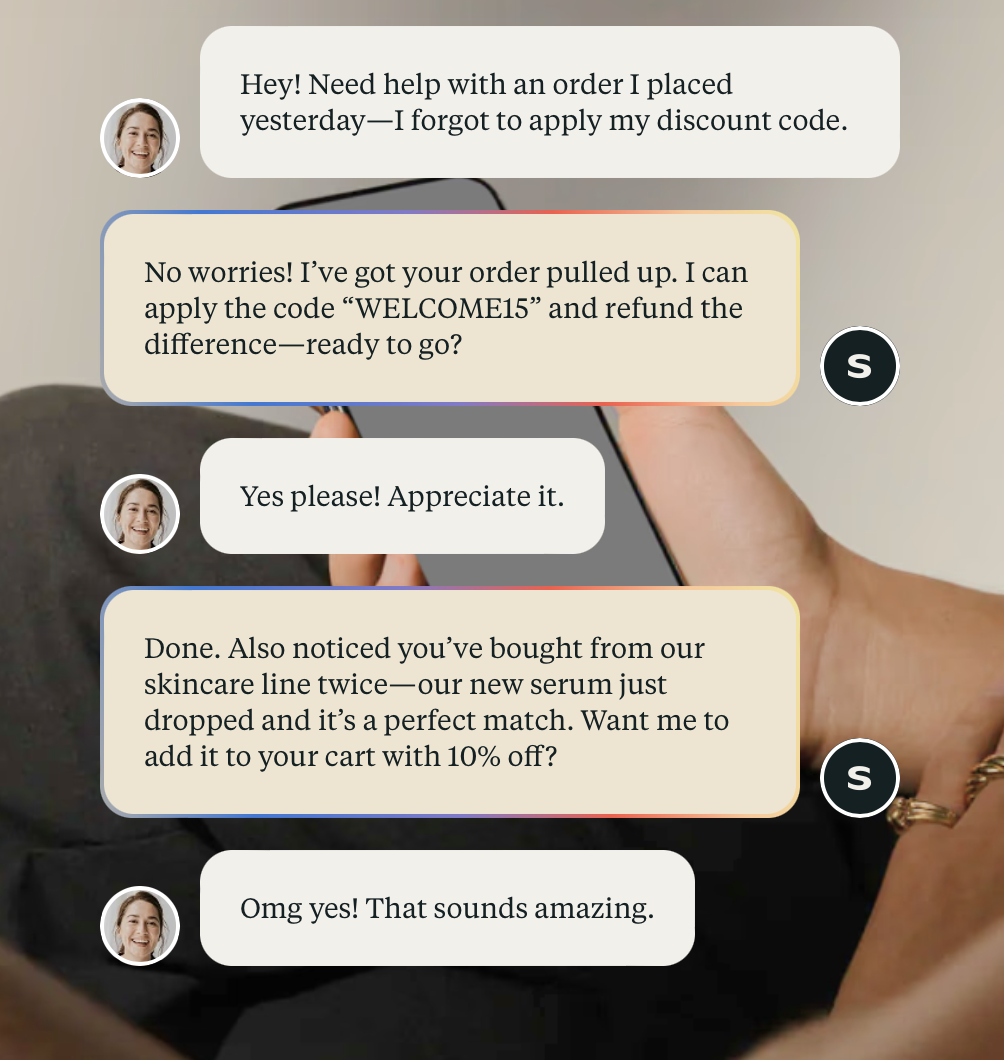
Siena focuses on "empathic AI" for consumer brands, with an emphasis on brand voice consistency across channels. AI Personas are built on your tone, voice, and customer language, which makes it a fit for ecommerce brands that treat customer communication as a brand touchpoint rather than a cost center.
Siena connects to Gorgias and automates responses through your existing setup, across channels including email, SMS, WhatsApp, and chat. You choose which channels it covers, and it imports your Gorgias macros as a starting point, which helps speed up setup.
Pros
Strong brand voice controls via AI Personas
Purpose-built for ecommerce
Minimal setup time with dedicated onboarding
Cons
Higher base price than many alternatives
G2 reviews flag occasions where the AI fails to escalate or closes a ticket prematurely
Pricing: $750/month plus $0.90/automated ticket.
See Yuma in action
Comparing tools? See Yuma on your own tickets
Yuma works inside your helpdesk and only charges for tickets it fully resolves.
Option 2: Full platform alternatives (replace Gorgias entirely)
These tools replace Gorgias as your helpdesk. They make sense when the pricing model, seat caps, or reporting gaps are the issue, rather than the AI alone.
Kustomer
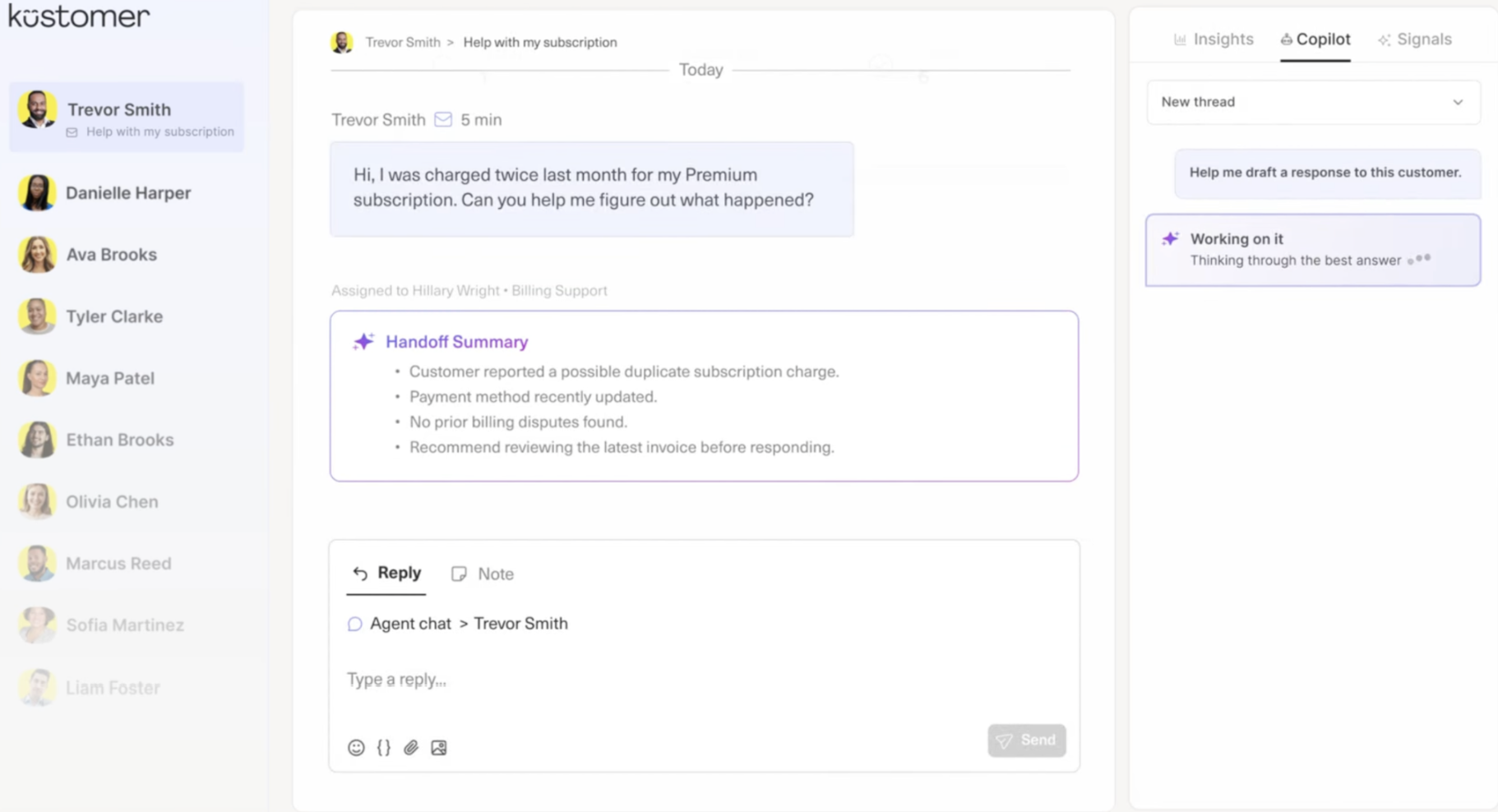
Kustomer takes a CRM-style approach to support, with a unified customer timeline that pulls order history, conversations, and cross-channel interactions into a single view. Instead of ticket-based pricing, Kustomer charges per seat, so the base subscription doesn't scale with volume the way Gorgias does (though AI features carry their own usage-based pricing).
For ecommerce teams that want customer history in one place without toggling between tabs, the timeline view can be particularly useful. Kustomer also supports Yuma as an AI overlay, so teams that switch from Gorgias to Kustomer can add ecommerce-specific AI resolution on top.
Some reviews felt that chat features specifically were limited
Pricing: Per-seat. Kustomer doesn't publish pricing publicly; contact their sales team for a quote.
Re:amaze
Re:amaze is built for teams managing multiple brands from one support account. If you're running separate brands under one support team, Re:amaze lets you manage multiple support sites for each brand from a single account.
Zendesk is an enterprise-grade helpdesk with over 1,800 apps and integrations in its marketplace. It scales beyond ecommerce into every industry, which is both its strength (you're unlikely to outgrow it) and its trade-off (ecommerce workflows aren't native). AI capabilities have expanded through acquisitions, including Ultimate in 2024 and Forethought in March 2026.
For ecommerce teams on Zendesk, Yuma installs as an AI overlay, so you get enterprise-grade helpdesk infrastructure with ecommerce-specific resolution on top. That combination is why some teams that leave Gorgias may choose Zendesk plus Yuma, rather than choosing between a strong helpdesk and strong ecommerce AI.
Pros
Enterprise scale and reliability
Broad integration ecosystem
Strong admin, reporting, and SLA management
Cons
Zendesk's pricing can add up quickly, especially with AI add-ons
Zendesk's official Shopify integration handles order lookups, refunds, and cancellations, but workflows may not expand into shipping carriers, return tools, or third-party subscription platforms; these may require custom middleware
Pricing: Per-agent, starting with the Suite Team plan. AI features are add-ons with separate pricing.
Help Scout
Help Scout is free for up to five users and designed to be easy to learn. It brings email, live chat, SMS, and social into a shared inbox. Its AI Answers add-on runs at $0.75 per resolution with a monthly spending cap you set, which gives smaller teams a predictable way to test AI without the pricing complexity of Gorgias's model.
A good fit for small teams that don't need ecommerce-specific AI resolution. If your ticket mix is mostly pre-sale questions and general inquiries rather than order actions, Help Scout covers the basics well.
Pros
Free tier for small teams
Easy to learn, clean shared inbox
Capped per-resolution AI pricing
Cons
AI depth is limited compared to other tools on this list
Some reviews were frustrated by limited customization and reporting options
Pricing: Free for 5 users, then from $25/user/month.
Freshdesk
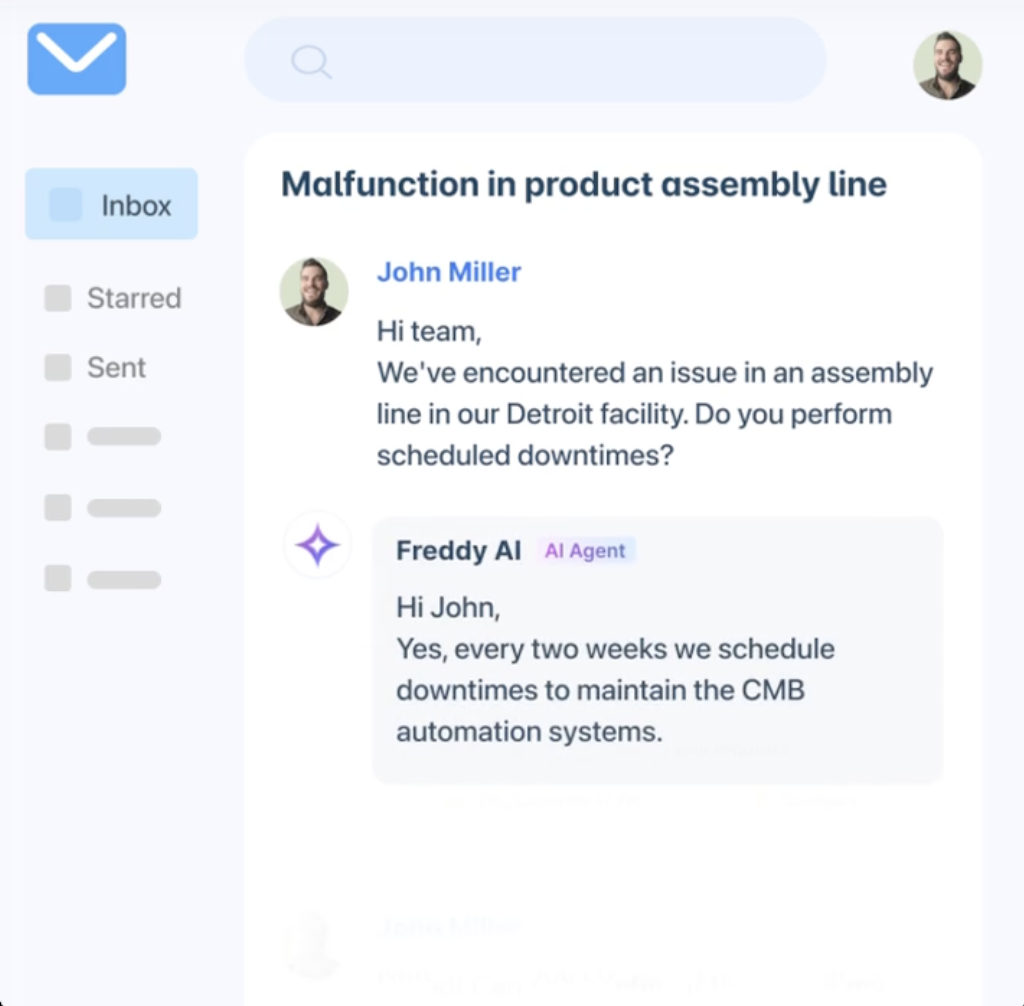
Freshdesk is a helpdesk with AI features that has a lower entry price than many alternatives on this list. Freddy AI handles auto-triage (recommending priority and group assignments) and reply suggestions based on your knowledge base.
Some users report delays that can slow down workflows
Some customers complain that valuable advanced features are limited to higher-tier plans
Pricing: From $19/agent/month.
Keep Gorgias or switch? How to decide
Before comparing alternatives to Gorgias, you need to know which problem you're actually solving.
Keep Gorgias if your team likes the Shopify integration, your workflows are built around Gorgias macros and rules, and the primary friction is the AI layer rather than the helpdesk itself.
In that case, an overlay tool that installs inside Gorgias and replaces the native AI is the lowest-friction path. Your team stays in the same workspace. Your macros carry over. The only thing that changes is what's resolving the tickets.
Switch if the ticket-based pricing model, seat caps, or reporting limitations are the bottleneck, beyond the AI. In that case, a full platform replacement makes more sense. Per-seat and per-user helpdesks charge for your team's size rather than your ticket volume, so your helpdesk bill won't automatically climb every time tickets do. Just check how any AI add-on is priced, since that can still scale with volume.
What to look for when switching from Gorgias
Once you decide if you want to switch, it helps to know what to look for when choosing a new solution. Here's what to consider when you're leaving Gorgias.
Pricing models and total cost of ownership that work for your business
Gorgias bills by ticket volume plus per-resolution AI. If you switch to another platform that also bills by ticket volume, you've changed the tool but not the cost structure of your AI customer service software.
Shopify actions need to match or exceed Gorgias's capabilities
Gorgias has a strong native Shopify integration. That means any replacement needs to connect to Shopify order data with the ability to take actions like refunds, cancellations, and edits, as well as sidebar lookups.
Qualtrics' 2026 Consumer Experience Trends report found that only three in 10 customers give direct feedback. When your AI can't resolve a return or order change autonomously, the customer doesn't file a complaint. Instead, they just don't come back.
Macros and workflows need a migration plan
Gorgias macros, rules, and automations don't transfer automatically to another platform. If you switch, you'll want to budget time for rebuilding.
Yuma preserves your existing Gorgias macros when used as an overlay. That means your helpdesk macros keep working, and the Handbook references them where they apply. That's one reason the keep-Gorgias path often has lower migration cost.
This is particularly important for post-purchase tickets. Narvar's 2025 State of Post-Purchase Report found that 74% of online shoppers had a late delivery in the past year, and 76% won't buy again after a poor returns experience. As a result, those delivery and return tickets need to be handled from day one on a new platform to avoid significant customer churn. Otherwise, a gap during the migration period could cost you customers.
Finding the right Gorgias alternative for your team
The right Gorgias alternative depends on what's actually creating friction for your team. If it's the AI layer, an overlay fixes it without rebuilding your support stack. If it's the platform itself, a full switch gives you a different pricing model, better reporting, or broader capabilities.
Yuma works on both sides of that decision. Keep Gorgias and replace the AI, or switch to Zendesk or Kustomer and bring the AI layer with you. You can also compare Yuma with other leading platforms side by side.
Frequently asked questions about Gorgias alternatives
Can I add better AI to Gorgias without switching helpdesks?
Yes. Yuma installs inside Gorgias as an AI overlay, replacing the native AI Agent while keeping your helpdesk and macros in place. Your team stays in the same Gorgias workspace.
Will my Gorgias macros and workflows transfer to a new platform?
Your Gorgias macros and workflows won't automatically transfer to a new AI customer service platform. Gorgias macros, rules, and automations are platform-specific, so a full switch means rebuilding them.
That's a key advantage of the overlay path. Yuma keeps your existing Gorgias macros working. They stay in your helpdesk, and Yuma's Handbook references them where they apply.
What's the best Gorgias alternative for Shopify?
The best Gorgias alternative for Shopify depends on whether you want to keep Gorgias or switch platforms.
If you want to keep Gorgias and upgrade the AI, Yuma installs inside Gorgias and takes autonomous actions in Shopify and the commerce tools around it.
If you want to switch platforms entirely, Kustomer and Zendesk both offer strong Shopify integrations, and Yuma can install inside either as the AI layer. Re:amaze is also a good option for brands running multiple Shopify storefronts.
How long does it take to migrate from Gorgias?
Migration time from Gorgias depends on what you're switching to. An AI overlay like Yuma installs inside Gorgias without migration, and Yuma's team handles the setup through white-glove onboarding. A full platform switch can take at least two to six weeks, depending on the complexity of your macros, rules, and workflow rebuilds.